
IM-Magic Partition Resizer 7.9.6 Multilingual Free Portable Download – Free Partition Manager for Windows
IM-Magic Partition Resizer Free Portable is a useful disk management application designed to help Windows users organize and manage their hard drive partitions without complicated procedures. It allows you to resize, shrink, extend, move, and merge partitions while keeping existing files intact during supported operations. Whether your C: drive is running out of space or you want to reorganize your HDD or SSD, this software provides a simple way to manage disk storage.
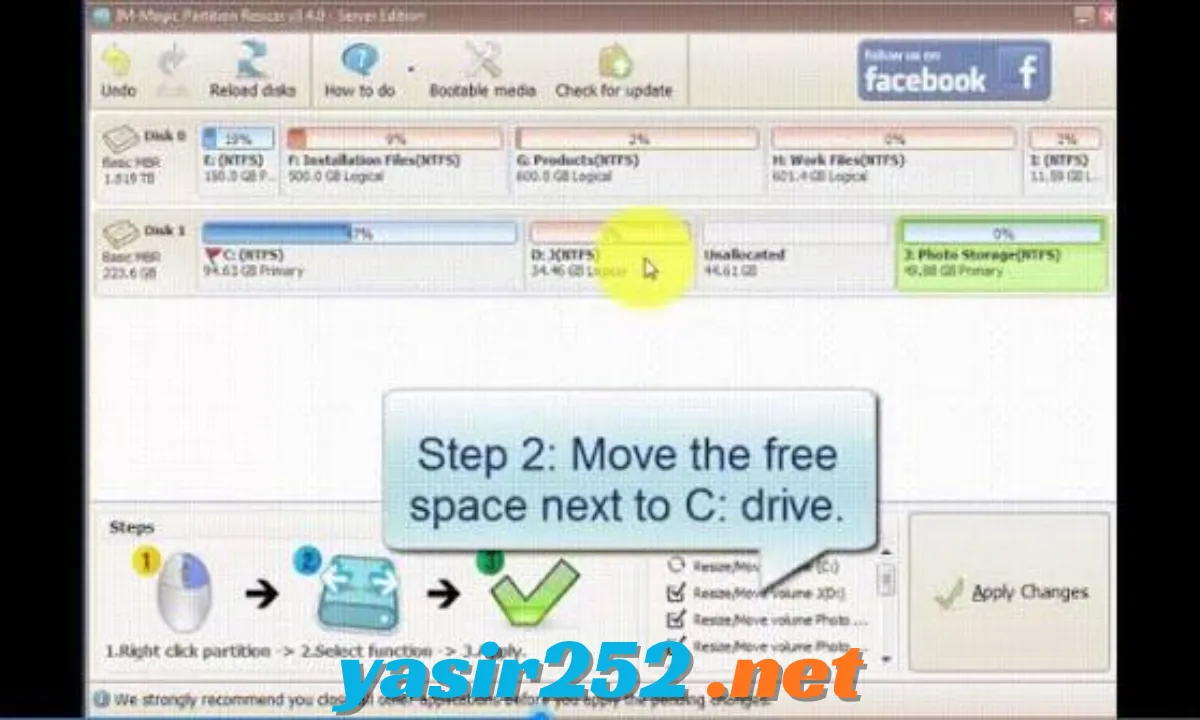
One of the best things about IM-Magic Partition Resizer is its easy-to-use interface and portable edition. You can manage disk partitions through simple drag-and-drop operations without going through a traditional installation process when using the Portable version. It also includes disk cloning, partition copying, MBR-to-GPT conversion, OS migration, and rollback protection features. If you’re looking for a free partition manager for personal Windows use, IM-Magic Partition Resizer is worth checking out.
IM-Magic Partition Resizer Software Information
| Field | Details |
|---|---|
| Title | IM-Magic Partition Resizer Free Portable |
| Genre | Disk Management / Partition Manager |
| Developer | IM-Magic Inc. |
| Publisher | IM-Magic Inc. |
| Franchise | IM-Magic Partition Resizer |
| Latest Version | 7.9.2 |
| Release Date | May 24, 2026 |
| License | Freeware (Home Use) |
| Operating System | Windows 11, 10, 8.1, 8, 7, Vista, XP |
| Architecture | 32-bit / 64-bit |
| Category | System Utilities / Disk Management |
Fitur Utama IM-Magic Partition Resizer Free Portable
1. Resize Partition
Ubah ukuran partisi hard disk atau SSD sesuai kebutuhan. Kamu bisa memperbesar atau memperkecil volume tanpa harus memformat seluruh drive.
2. Extend C Drive
Perbesar kapasitas drive C: dengan mengambil ruang kosong dari partisi lain. Fitur ini sangat berguna ketika partisi Windows mulai kehabisan ruang penyimpanan.
3. Shrink Partition
Perkecil partisi yang memiliki banyak ruang kosong untuk menyediakan kapasitas bagi volume lainnya. Proses ini membantu mengatur penyimpanan dengan lebih fleksibel.
4. Move Partition
Pindahkan posisi partisi pada hard disk untuk mengatur ulang susunan penyimpanan. Kamu bisa mengoptimalkan penggunaan ruang Unallocated sesuai kebutuhan.
5. Merge Partitions
Gabungkan partisi yang berdekatan untuk mengelola ruang penyimpanan dengan lebih efisien. Fitur ini membantu mengurangi jumlah volume yang tidak diperlukan.
6. Clone Disk
Salin seluruh isi disk ke perangkat penyimpanan lain. Fitur cloning berguna ketika ingin mengganti HDD lama dengan SSD baru atau memindahkan data ke disk berkapasitas lebih besar.
7. Copy Partition
Salin partisi tertentu ke lokasi penyimpanan lain. Fitur ini membantu membuat salinan data tanpa harus mengkloning seluruh hard disk.
8. Create New Partition
Buat partisi baru dari ruang Unallocated yang tersedia. Kamu bisa membagi kapasitas hard disk menjadi beberapa volume sesuai kebutuhan.
9. Delete and Format Partition
Hapus partisi yang sudah tidak digunakan atau format volume untuk mempersiapkan penyimpanan baru. Pastikan semua data penting sudah dicadangkan sebelum menjalankan operasi ini.
10. Convert MBR to GPT
Konversi disk dari MBR ke GPT untuk mendukung konfigurasi penyimpanan modern. Fitur ini berguna ketika mengatur disk dengan kapasitas besar dan sistem berbasis UEFI.
11. Convert Dynamic Disk to Basic
Software ini menyediakan kemampuan untuk mengonversi dynamic disk non-RAID menjadi basic disk. Periksa kompatibilitas dan kondisi disk sebelum melakukan konversi.
12. File System Conversion
Kelola dan konversi file system yang didukung, termasuk NTFS dan FAT32. Fitur ini membantu menyesuaikan format partisi dengan kebutuhan perangkat dan sistem operasi.
13. OS Migration
Migrasikan sistem operasi Windows ke hard disk atau SSD lainnya. Fitur ini berguna ketika ingin meningkatkan performa komputer dengan mengganti media penyimpanan.
14. Partition Backup
Buat salinan partisi untuk membantu melindungi informasi penting. Backup merupakan langkah penting sebelum melakukan perubahan besar pada struktur disk.
15. Rollback Protection
IM-Magic menawarkan teknologi perlindungan rollback untuk membantu mengembalikan kondisi partisi jika operasi tertentu gagal atau terhenti secara tidak terduga. Ketersediaan perlindungan ini dapat berbeda berdasarkan edisi dan lisensi.
16. Drag-and-Drop Interface
Atur ukuran dan posisi partisi menggunakan antarmuka visual yang sederhana. Kamu dapat melakukan berbagai operasi tanpa harus menggunakan perintah command-line yang rumit.
17. Independent 64-Bit Application
Software ini menyediakan aplikasi 64-bit independen untuk kebutuhan sistem Windows 64-bit. Paket download juga menyediakan executable 32-bit dan 64-bit.
18. Portable Edition
Jalankan aplikasi melalui versi Portable tanpa instalasi standar. Pilihan ini cocok untuk pengguna yang ingin menyimpan partition manager di USB flash drive atau media penyimpanan eksternal.
What’s New in IM-Magic Partition Resizer 7.9.2?
Versi 7.9.2 merupakan pembaruan yang tercantum pada website resmi IM-Magic pada 24 Mei 2026.
Beberapa perbaikan yang disertakan antara lain:
-
Trim Function Fix: Memperbaiki masalah memory access error pada fungsi Trim dalam kondisi lingkungan tertentu.
-
NTFS Improvements: Memperbaiki masalah terkait NTFS_MAX_CLUST_NUM yang dapat menyebabkan Windows File Explorer gagal membuka partisi.
-
RAW Partition Fix: Mengatasi kondisi tertentu yang dapat membuat Windows Disk Management menampilkan partisi sebagai RAW.
-
Stability Improvements: Meningkatkan stabilitas aplikasi ketika melakukan operasi pengelolaan partisi.
Supported File Systems and Disk Types
IM-Magic Partition Resizer mendukung berbagai jenis disk dan file system untuk kebutuhan pengelolaan penyimpanan.
| Supported Technology | Details |
|---|---|
| Partition Tables | MBR / GPT |
| File Systems | NTFS, FAT16, FAT32, exFAT, Ext2, Ext3, Ext4 |
| Storage Devices | HDD, SSD, USB Drives |
| Disk Operations | Resize, Move, Merge, Clone |
| Disk Conversion | MBR to GPT |
| Architecture | 32-bit / 64-bit |
| Maximum Disk Capacity | Depends on edition and licensing |
IM-Magic Partition Resizer Free vs Professional
IM-Magic menyediakan beberapa edisi untuk pengguna rumahan dan kebutuhan komersial. Free Edition ditujukan untuk penggunaan pribadi di komputer Windows.
| Features | Free Edition | Professional Edition |
|---|---|---|
| Resize Partition | Yes | Yes |
| Move Partition | Yes | Yes |
| Extend C Drive | Yes | Yes |
| Merge Partitions | Yes | Yes |
| Clone Disk | Yes | Yes |
| Copy Partition | Yes | Yes |
| MBR to GPT | Yes | Yes |
| OS Migration | Yes | Yes |
| Independent 64-bit App | Yes | Yes |
| Portable Edition | Yes | Yes |
| 1-Second Extend Technology | No | Yes |
| Cancel-at-Will Technology | No | Yes |
| Advanced Rollback Protection | Limited | Yes |
| Bootable Media | No | Yes |
| Commercial Usage | No | Yes |
Important: Free Edition is available for personal home use. Commercial use, advanced protection features, and bootable media require an appropriate paid edition. Always check the current edition comparison before downloading.
resize-c.com+1
IM-Magic Partition Resizer System Requirements
Before downloading the software, make sure your computer meets the following requirements:
-
Operating System: Windows 11, Windows 10, Windows 8.1, Windows 8, Windows 7, Windows Vista, and Windows XP.
-
Architecture: 32-bit and 64-bit.
-
Processor: Compatible x86 or x64 Windows processor.
-
RAM: Sufficient memory for Windows and disk management operations.
-
Storage: Free space for the application and temporary operations.
-
Supported Drives: HDD, SSD, USB storage, and compatible disk devices.
-
Partition Types: MBR and GPT.
-
File Systems: Supported FAT, NTFS, exFAT, and Ext formats.
Installer vs Portable Version
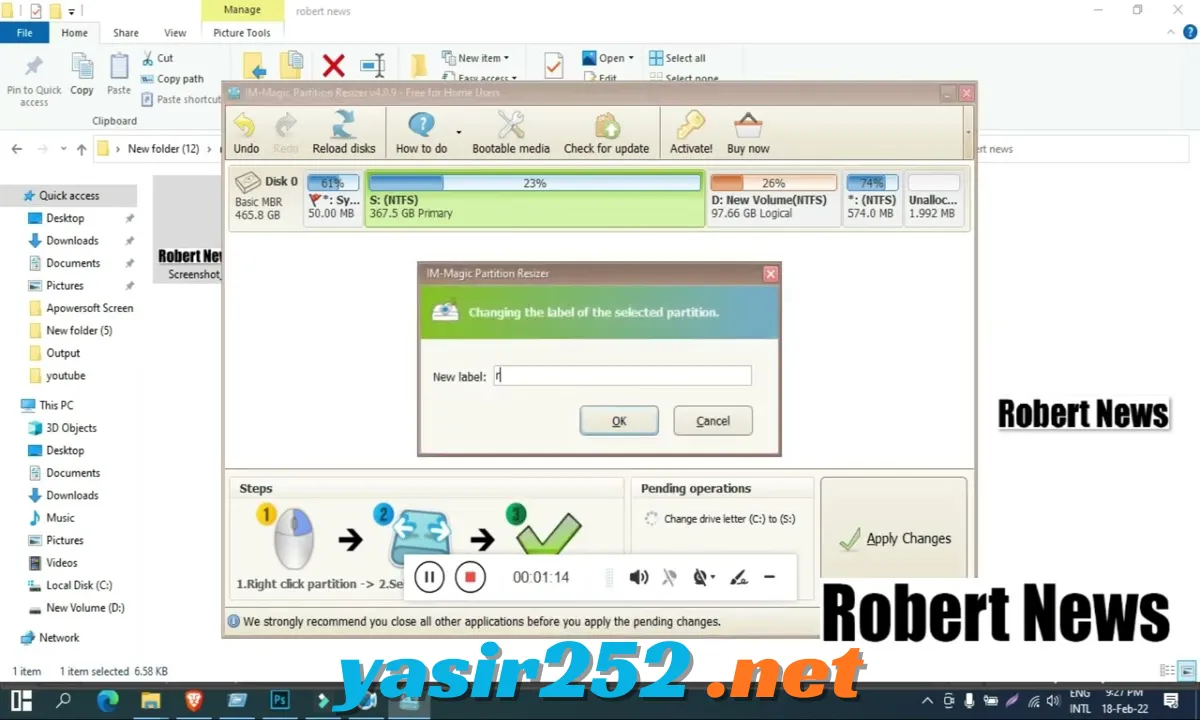
IM-Magic Partition Resizer offers both Installer and Portable download options.
| Features | Installer Version | Portable Version |
|---|---|---|
| Installation Required | Yes | No |
| USB Usage | Possible | Yes |
| Resize Partitions | Yes | Yes |
| Move Partitions | Yes | Yes |
| Merge Partitions | Yes | Yes |
| Clone Disk | Yes | Yes |
| Windows Support | Yes | Yes |
| Free Home Use | Yes | Yes |
| Standard Setup | Yes | No |
Installer Version: Recommended for users who want to install the application permanently on their Windows computers.
Portable Version: Suitable for users who prefer running the software without traditional installation. It is also convenient for carrying the application on external storage.
How to Download and Use IM-Magic Partition Resizer Free Portable
Follow these steps to download and start using the Portable Edition:
-
Visit the official IM-Magic Partition Resizer website.
-
Open the download section.
-
Find the Download Portable Edition option.
-
Click the download link to get the Portable package.
-
Wait for the ZIP file to finish downloading.
-
Extract the downloaded ZIP archive.
-
Open the extracted application folder.
-
Run the appropriate 32-bit or 64-bit executable.
-
Allow the application to access disk management functions if Windows requests permission.
-
Select the partition you want to manage.
-
Choose the required operation, such as Resize/Move Partition.
-
Review the pending operations carefully before clicking Apply.
Safety tip: Always create a backup before resizing, moving, merging, cloning, or converting partitions. Formatting, wiping, and copying onto a non-empty destination disk can permanently destroy existing data. Never interrupt a disk operation unless the software explicitly provides a safe cancellation option.
Conclusion
IM-Magic Partition Resizer Free Portable is a useful partition management tool for Windows users who want to organize their HDD and SSD storage without complicated procedures. It includes essential features such as resizing, moving, merging, cloning, partition copying, and MBR-to-GPT conversion.
The Portable Edition makes it especially convenient because you can run the application without a traditional installation. If you need a free partition manager for personal home use, IM-Magic Partition Resizer is worth considering.