
Avira System Speedup Pro 7.6.0.612 Multilingual Download [2027] – Optimize and Clean Your Windows PC
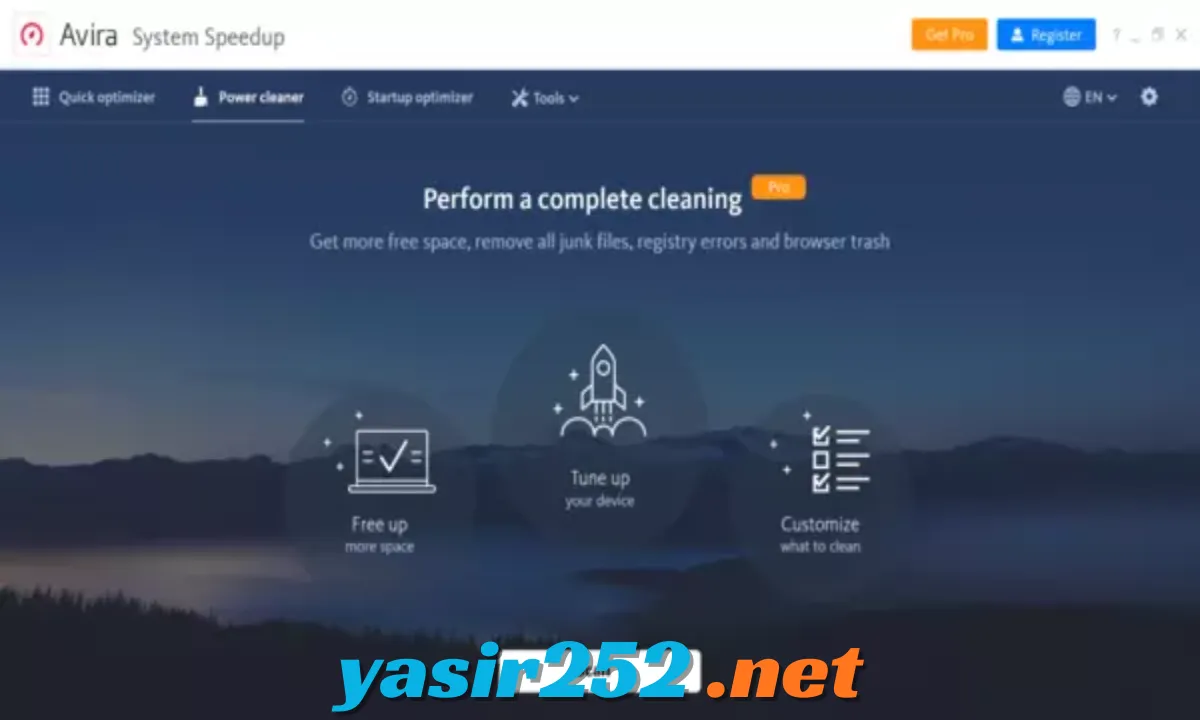
Avira System Speedup Pro is a Windows PC optimization utility designed to help users clean unnecessary files, manage system resources, improve startup performance, and maintain a smoother computer experience. It combines multiple maintenance tools into a single interface, allowing users to scan their PC for common performance-related issues and review optimization options without manually searching through Windows settings.
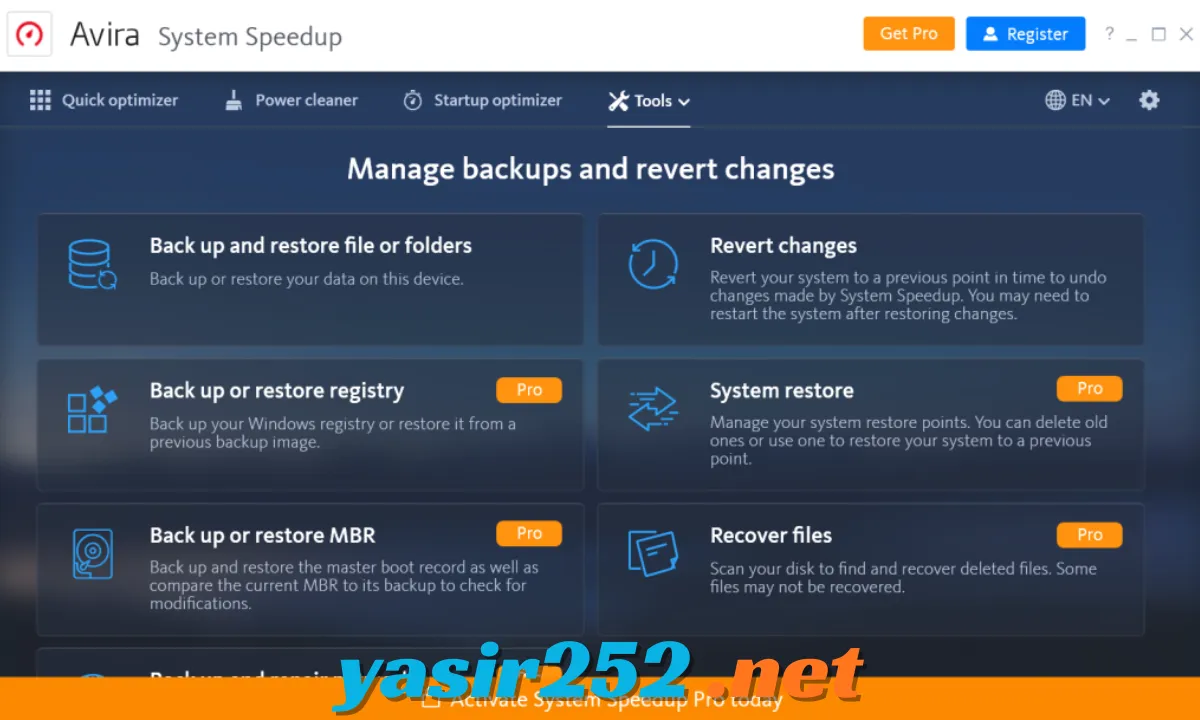
With its collection of system cleanup, privacy management, startup optimization, and maintenance tools, Avira System Speedup Pro aims to make routine PC maintenance easier. It is designed for users who want to remove clutter, manage certain Windows settings, and improve the overall responsiveness of their computers. The Pro edition provides access to additional features compared with limited or trial offerings, depending on the version and license.
Avira System Speedup Pro 7 Download Links
| Rapidgator | Nitroflare |
|---|---|
| 🟣 DOWNLOAD | 🟡 DOWNLOAD |
Avira System Speedup Pro Software Information
| Field | Details |
|---|---|
| Software Name | Avira System Speedup Pro |
| Version | Version-dependent; check the official availability |
| Developer | Avira Operations GmbH |
| Publisher | Avira |
| Category | PC Optimization / System Utilities |
| License | Commercial / Trial availability may vary |
| Operating System | Windows |
| Architecture | Version-dependent |
| Main Purpose | PC cleanup, maintenance, performance optimization |
| Official Website | https://www.avira.com/ |
What Is Avira System Speedup Pro?
Avira System Speedup Pro is a computer maintenance program that provides tools for cleaning unwanted files, managing startup programs, optimizing certain system settings, and improving the general performance of Windows computers. It is designed to simplify routine maintenance by grouping several system-cleaning and optimization tasks together.
The application helps users review unnecessary files, browser-related data, system clutter, and selected settings that may affect PC performance. Instead of manually performing every maintenance task, users can run scans and review the recommendations provided by the software before applying changes.
Key Features of Avira System Speedup Pro
– PC Junk File Cleanup: Scan for unnecessary temporary files, cached data, and other system clutter that may consume storage space.
– System Optimization: Review optimization recommendations intended to improve Windows responsiveness and reduce unnecessary system overhead.
– Startup Manager: Manage applications that automatically launch with Windows to help reduce unnecessary startup activity.
– Registry Cleanup: Identify certain registry-related entries that the application considers unnecessary or problematic. Registry changes should be reviewed carefully because deleting entries can cause issues.
– Privacy Cleanup: Remove selected browsing traces, temporary data, and other privacy-related items supported by the installed version.
– Browser Cleanup: Clean selected browser-related data, such as temporary files and cached content, depending on supported browsers and settings.
– Disk Cleanup: Identify unnecessary files and reclaim storage space by removing selected clutter.
– Performance Maintenance: Use maintenance tools to review common PC performance issues and apply recommended cleanup or optimization tasks.
– System Scan: Run scans that examine selected areas of Windows for cleanup opportunities and optimization recommendations.
– One-Click Optimization: Apply multiple selected maintenance tasks through a streamlined optimization workflow.
– Unwanted File Removal: Remove certain unnecessary files and leftovers that may accumulate during normal PC usage.
– Windows Settings Optimization: Review selected system settings and optimization recommendations offered by the application.
– User-Friendly Interface: Access cleanup and maintenance tools from an organized interface designed for ordinary Windows users.
– Pro Features: Access additional cleanup and optimization capabilities through the paid Pro license, depending on the product version.
Avira System Speedup Pro Cleanup Tools
Avira System Speedup Pro provides several cleanup-oriented functions designed to help users maintain their computers.
| Tool | Purpose |
|---|---|
| Junk Cleaner | Identify unnecessary temporary and junk files |
| Startup Optimizer | Review programs that launch with Windows |
| Privacy Cleaner | Remove selected privacy-related traces |
| Registry Cleaner | Identify selected registry-related cleanup opportunities |
| System Optimizer | Review optimization recommendations |
| Browser Cleaner | Clean supported browser-related data |
| Disk Cleanup | Help reclaim disk storage |
| PC Maintenance | Run selected maintenance and optimization tasks |
The exact tools, names, and availability can differ between Avira System Speedup releases and product editions.
What’s New in Avira System Speedup Pro?
Avira System Speedup Pro has been distributed in different versions over time. Features, interface design, compatibility, and licensing may vary depending on the release.
Because a current, verified release-specific changelog is not confirmed here, the following are general capabilities of the product rather than newly introduced features:
-
Cleanup Improvements: Tools for identifying unnecessary files and system clutter.
-
Performance Management: Utilities for managing startup applications and selected Windows settings.
-
Privacy Maintenance: Options for cleaning supported browsing and privacy-related traces.
-
Interface Updates: Changes to the layout and presentation of maintenance tools across versions.
-
Windows Compatibility: Compatibility depends on the specific version and installer.
The older version number 5.3.0.9960 appears in search-related keywords, but it should not be treated as the current release without verification.
How to Download Avira System Speedup Pro
To download Avira System Speedup Pro, use Avira’s official website or its official software distribution channels whenever the product is available.
-
Open the official Avira website.
-
Search for Avira System Speedup or PC optimization products.
-
Check whether System Speedup Pro is still available for download.
-
Review the edition, compatibility, and license details.
-
Download the installer from an official source.
-
Save the setup file to your Windows computer.
-
Run the installer to begin installation.
Official Avira website: https://www.avira.com/
Avira’s product lineup and availability may change. If System Speedup Pro is no longer offered directly, avoid downloading installers from unverified websites.
How to Install Avira System Speedup Pro
Follow these steps if you have a legitimate installer:
-
Download the installer from a trusted official source.
-
Locate the setup file in your Downloads folder.
-
Double-click the installer.
-
Approve the Windows permission prompt if required.
-
Follow the installation instructions displayed on the screen.
-
Wait for the installation to finish.
-
Launch Avira System Speedup Pro.
-
Review the available cleanup and optimization tools.
How to Use Avira System Speedup Pro
Step 1: Launch the Program
Open Avira System Speedup Pro from the Windows Start menu or desktop shortcut after installation.
Step 2: Run a System Scan
Use the main scan or analysis option to check your computer for selected cleanup and maintenance opportunities.
Step 3: Review Scan Results
Examine the scan results before applying changes. Review the categories of files and system settings that the program recommends optimizing.
Step 4: Select Cleanup Items
Choose the cleanup categories you want to apply. Avoid removing files or changing settings you do not understand, especially when working with registry-related tools.
Step 5: Start Optimization
Apply the selected cleanup and optimization operations. Allow the program to finish its tasks before closing it.
Step 6: Manage Startup Applications
Open the startup management tool, review applications that launch automatically, and disable only those you do not need to run when Windows starts.
Step 7: Review Privacy Cleanup
Use the privacy-related cleanup options to remove selected browser traces and temporary data. Remember that removing browser data may sign you out of websites or delete saved browsing information.
Avira System Speedup Pro System Requirements
The exact system requirements depend on the version of Avira System Speedup Pro you are installing. The following table provides general Windows compatibility guidance.
| Requirement | Details |
|---|---|
| Operating System | Compatible Windows operating system |
| Windows Compatibility | Version-dependent |
| Processor | Windows-compatible processor |
| RAM | 2 GB or more recommended for general use |
| Storage | Available space for installation and temporary operations |
| Internet Connection | May be required for installation, updates, activation, or certain features |
| Installation | Windows installer |
| User Permissions | Administrator permissions may be required |
These are general recommendations, not verified minimum specifications for every Avira System Speedup Pro release.
Is Avira System Speedup Pro Free?
Avira System Speedup Pro is a paid optimization product or paid-edition offering, depending on the version and distribution channel. Some versions or promotional packages may provide trial access or limited functionality, but Pro features generally require an eligible license.
Before downloading, review the licensing information to determine whether the installer provides a trial, a free edition, or a subscription-based Pro product.
Avira System Speedup Pro Review
Avira System Speedup Pro is designed to simplify Windows maintenance by combining cleanup tools, startup management, privacy cleanup, and selected optimization functions. Its main advantage is convenience, as users can review multiple maintenance areas from one application rather than navigating through different Windows utilities.
However, PC optimization programs should be used carefully. Removing temporary files can free up storage, but registry cleaners and aggressive optimization settings do not necessarily improve computer performance and may occasionally cause problems. Users should review scan results and maintain backups before applying major changes.
Overall: Avira System Speedup Pro can be useful for users who prefer a centralized Windows maintenance interface, but it is important to evaluate the available features, license, compatibility, and potential benefits before purchasing or installing it.
Pros and Cons of Avira System Speedup Pro
Pros
-
Combines several PC maintenance tools.
-
Includes junk file cleanup functionality.
-
Provides startup management tools.
-
Offers privacy-related cleanup options.
-
Includes selected Windows optimization tools.
-
Easy-to-understand maintenance workflow.
-
Provides centralized access to cleanup functions.
Cons
-
Pro features may require a paid license.
-
Product availability may vary.
-
Registry cleanup can be risky if applied incorrectly.
-
Optimization results depend on the computer and its condition.
-
Some cleanup functions overlap with built-in Windows utilities.
-
Older installers may not be compatible with newer Windows versions.
Best Alternatives to Avira System Speedup Pro
| Software | Main Purpose |
|---|---|
| Microsoft PC Manager | Windows cleanup, resource monitoring, and maintenance |
| CCleaner | PC cleanup, privacy cleanup, and maintenance utilities |
| Glary Utilities | Windows maintenance and optimization tools |
| BleachBit | Cleanup of unnecessary files and privacy-related data |
| Wise Care 365 | PC cleanup and maintenance features |
Frequently Asked Questions (FAQs)
1. What is Avira System Speedup Pro?
Avira System Speedup Pro is a Windows maintenance and optimization application designed to clean unnecessary files, manage startup applications, and review selected system optimization opportunities.
2. Is Avira System Speedup Pro free?
Avira System Speedup Pro is generally a paid product or paid edition. Trial access or limited functionality may be available depending on the version and distribution.
3. Where can I download Avira System Speedup Pro?
You should check the official Avira website at https://www.avira.com/ for current product availability and legitimate download options.
4. What is Avira System Speedup Pro 5.3.0.9960?
Version 5.3.0.9960 is a version number associated with older Avira System Speedup Pro download listings. Verify the version and its compatibility before installing it.
5. Does Avira System Speedup Pro work on Windows 11?
Compatibility depends on the specific version. Check the product’s supported operating systems before installing an older release on Windows 11.
6. Does Avira System Speedup Pro work on Windows 10?
Some versions may support Windows 10. Review the requirements of the particular release you intend to install.
7. What does Avira System Speedup Pro do?
It provides cleanup and maintenance tools for unnecessary files, startup applications, privacy-related data, and selected Windows optimization settings.
8. Can Avira System Speedup Pro speed up my PC?
It may improve responsiveness in certain situations, such as when unnecessary startup applications or excessive temporary files are affecting your computer. Results vary by system.
9. Does Avira System Speedup Pro clean registry entries?
Some versions include registry cleanup functionality. Review registry-related changes carefully and create a backup before applying them.
10. Does Avira System Speedup Pro remove junk files?
Yes. Junk file cleanup is one of the program’s main maintenance functions.
11. Can Avira System Speedup Pro manage startup programs?
Yes. Startup management tools can help review and manage applications that automatically launch when Windows starts.
12. Is Avira System Speedup Pro portable?
Portable availability depends on the release and distribution package. Do not assume an installer can be used as a portable application without official support.
13. Is Avira System Speedup Pro crack safe?
Cracked software is not recommended. Unofficial modified installers can contain malware, unwanted programs, or harmful modifications.
14. Can I use Avira System Speedup Pro without a license key?
Trial or limited functionality may be available, depending on the version. Pro features generally require a valid license.
15. What is an Avira System Speedup Pro license key?
A license key is a legitimate activation credential associated with a licensed product or subscription, depending on the edition.
16. Where can I buy Avira System Speedup Pro?
Check the official Avira website and its current product or purchasing pages. Availability and pricing may change.
17. Does Avira System Speedup Pro have a free download?
The installer may be available for trial or limited access depending on the release. Downloading the setup file does not necessarily mean the Pro edition is free.
18. Is Avira System Speedup Pro still available?
Availability may vary by region and over time. Check the official Avira website to see whether the product is currently offered.
19. What are the alternatives to Avira System Speedup Pro?
Alternatives include Microsoft PC Manager, CCleaner, Glary Utilities, BleachBit, and Wise Care 365.
20. Is Avira System Speedup Pro worth using?
It may be useful for users who want centralized cleanup and maintenance tools. However, Windows already includes several maintenance features, so the benefits depend on your computer’s needs and the specific tools you use.
Conclusion
Avira System Speedup Pro is a Windows optimization utility designed to help users clean unnecessary files, manage startup programs, review privacy-related data, and maintain their computers through a centralized interface. Its collection of cleanup and system maintenance tools makes it an option for users who prefer a dedicated PC optimization application.
Before downloading Avira System Speedup Pro, check the latest product availability, Windows compatibility, and licensing information. Use a trusted installer and review optimization results carefully to avoid removing important files or applying unnecessary system changes.