
HWdetails 2.5 Download [2027] – Free PC Hardware Information Tool for Windows
HWdetails is a free Windows utility that helps you check detailed information about your computer’s hardware and system configuration. It gathers information about the processor, RAM, motherboard, graphics card, storage devices, network adapters, peripherals, and other components, presenting everything in a simple, organized interface. Instead of searching through different Windows settings or using multiple diagnostic tools, HWdetails gives you a central place to inspect your PC’s specifications.
Whether you want to identify your CPU, check memory speed, find motherboard details, inspect your GPU, or export a complete hardware report, HWdetails makes the process easier. The lightweight utility is designed for users who want a straightforward system information tool without complicated setup, making it useful for troubleshooting, PC maintenance, hardware upgrades, and everyday system checks.
HWiNFO 8 Download Links
| Official Website | Nitroflare | Rapidgator |
|---|---|---|
| 🌐 OFFICIAL DOWNLOAD | 🟡 DOWNLOAD | 🟣 DOWNLOAD |
HWdetails Software Information
| Field | Details |
|---|---|
| Software Name | HWdetails |
| Latest Version | 2.4 |
| Release Update | October 2026 (version listing) |
| Developer | TkoSoft |
| Category | System Information / Hardware Monitoring |
| License | Freeware |
| Operating System | Windows 10 and Windows 11 |
| Architecture | 32-bit and 64-bit Windows (listed compatibility) |
| File Name | hwdetails.exe |
| File Size | Approximately 3.5 MB |
| Main Purpose | PC hardware and system information |
| Report Formats | TXT and XML |
| Official Developer | TkoSoft |
What Is HWdetails?
HWdetails is a lightweight PC hardware information program for Microsoft Windows. It automatically gathers information about your computer’s hardware and software configuration, including the processor, RAM, motherboard, graphics card, storage, network adapters, peripherals, and operating system details.
The application presents this information in a structured interface so users can quickly understand their computer’s configuration. HWdetails is useful for checking hardware specifications before upgrading a PC, troubleshooting performance issues, documenting a computer, or sharing system details with a technician. It also supports exporting reports in TXT and XML formats for later reference.
Key Features of HWdetails
– Complete Hardware Overview: Displays information about the major components installed in your computer, helping you understand your system’s configuration in one place.
– CPU Information: Provides processor details, including identification information, supported technologies, and other available CPU specifications.
– RAM Details: Displays memory module information, including rated speeds, voltage, and other available memory specifications.
– Motherboard Information: Helps identify motherboard details, chipset information, BIOS data, and PCI slot information where available.
– GPU and Display Information: Provides information about graphics hardware, display configuration, and related graphics specifications.
– Storage Information: Displays information about connected storage devices and available hardware details.
– Network Adapter Details: Helps inspect network adapters, their configuration, and available network-related information.
– Wi-Fi Information: Provides relevant wireless network and adapter information where supported.
– Peripheral Information: Displays information about connected devices, including available USB devices, audio components, printers, and other peripherals.
– Windows Information: Provides details about the operating system, Windows configuration, updates, and available system information.
– Live CPU Monitoring: Includes CPU activity information, with per-core activity details where supported by the version.
– DirectX and Monitor Details: Provides information related to display hardware, monitor configuration, and DirectX.
– BIOS and Chipset Information: Helps users inspect motherboard-related information, including BIOS and chipset details.
– TXT Report Export: Export collected information into a text file for documentation, troubleshooting, or sharing.
– XML Report Export: Save system information in XML format for structured record keeping or processing.
– Lightweight Application: The utility is small in size and designed to collect system information without requiring a complicated setup.
– Automatic Hardware Detection: HWdetails gathers system information when launched, reducing the need for manually navigating different Windows settings.
HWdetails 2.4 – What’s New?
HWdetails 2.4 is a recent version listed for Windows, with additional information added to the CPU section.
The update focuses on expanding the information available when examining processor details. For users who want to inspect CPU specifications, supported technologies, and other processor-related information, the updated section makes HWdetails more useful as a system information utility.
HWdetails 2.4 highlights additional CPU information in its updated release.
The exact complete changelog may vary depending on the release package. Check the developer’s release information for further changes.
HWdetails Interface Overview
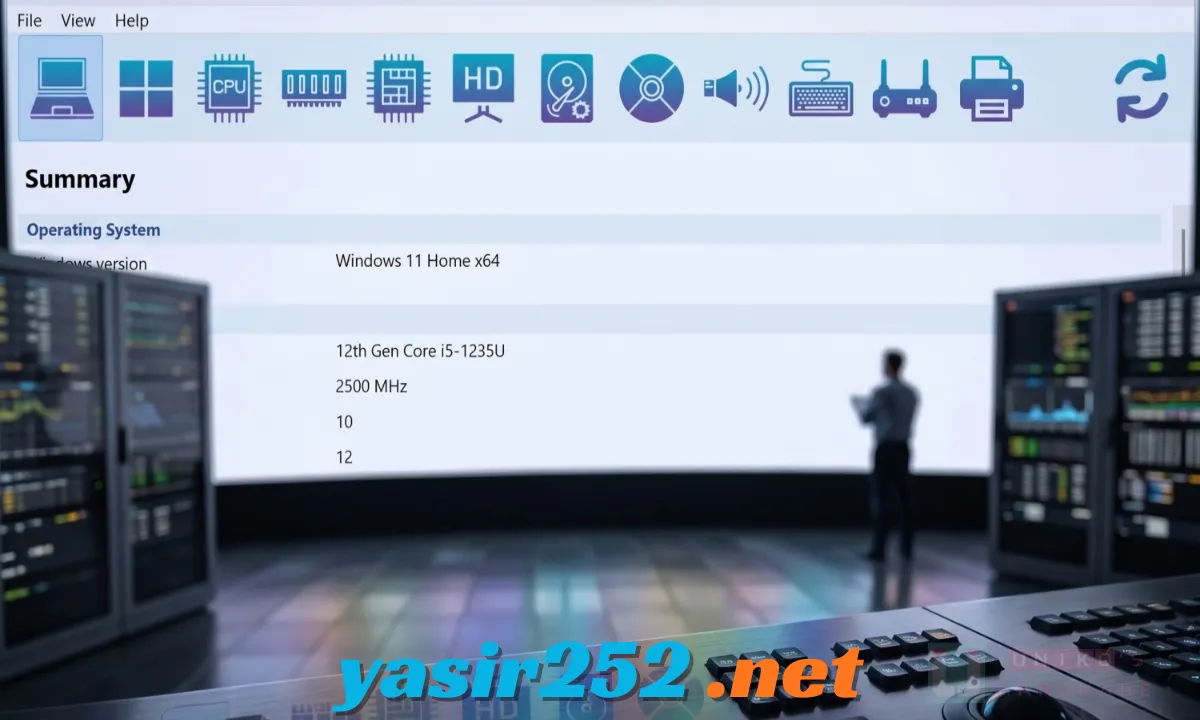
HWdetails features a straightforward interface designed to make system information easy to access. After launching the application, it collects available system details and presents a summary of the computer’s configuration.
The main interface provides an overview of essential hardware and operating system information. Users can navigate to specific sections to examine individual components in greater detail.
The organized layout is useful for both beginners and experienced PC users. Instead of relying on command-line tools, users can view available hardware specifications directly through the application.
How to Download HWdetails for Windows
Follow these steps to download HWdetails for your Windows PC.
-
Find the HWdetails download page from a trusted software download website or the developer’s official website.
-
Locate the latest available version, such as HWdetails 2.4.
-
Download the Windows executable file.
-
Check that the downloaded file matches the expected software and version.
-
Scan the file with your security software before opening it.
-
Launch the downloaded executable and follow any instructions provided.
HWdetails is listed as freeware, so you do not need to purchase a license to use the listed version.
How to Install and Use HWdetails
Step 1: Download HWdetails
Download the HWdetails executable for Windows. The listed version uses the filename hwdetails.exe.
Step 2: Launch the Application
Open the downloaded executable. Follow any Windows security prompts and verify the file’s origin before allowing it to run.
Step 3: Let HWdetails Scan Your System
Once launched, the program automatically gathers information about your PC’s hardware and software configuration.
Step 4: Explore Hardware Categories
Navigate through the available sections to inspect CPU, RAM, motherboard, GPU, storage, network adapters, peripherals, and other system details.
Step 5: Export a Hardware Report
If you need to save the information, use the available report-export functionality to save your system details as TXT or XML.
Step 6: Save or Share the Report
Keep the report for future reference, use it when troubleshooting, or share it with a technician. Remember that hardware reports can contain identifying information, so review the file before sharing it publicly.
How to Check CPU Information Using HWdetails
HWdetails provides a dedicated CPU information section for examining processor specifications.
-
Open HWdetails.
-
Allow the program to collect system information.
-
Navigate to the CPU section.
-
Review the processor identification and specifications.
-
Check the available technologies and CPU-related details.
-
Export the report if you need a record of your processor information.
This can be useful when checking processor specifications before upgrading software, comparing PCs, or troubleshooting hardware-related issues.
How to Check RAM Speed Using HWdetails
If you want to know more about the memory installed in your PC, HWdetails can help you inspect available RAM information.
-
Launch HWdetails.
-
Navigate to the memory or RAM section.
-
Review the detected memory modules.
-
Check the available information about memory speed, voltage, and module specifications.
-
Export the information if you need to save it.
Reported memory speed may be displayed differently from the effective DDR speed commonly advertised by manufacturers. Compare the information carefully when identifying your RAM.
How to Check Motherboard Details Using HWdetails
HWdetails can help identify motherboard-related information that may be useful when upgrading or troubleshooting your computer.
-
Open HWdetails.
-
Select the motherboard section.
-
Review the available manufacturer and model information.
-
Inspect the chipset and BIOS details.
-
Check available PCI slot information.
-
Export the report for future reference.
This information can help you find compatible RAM, processors, graphics cards, and other components when planning hardware upgrades.
HWdetails System Requirements
The following are general recommendations for using HWdetails. They are not official minimum specifications.
| Component | Requirement / Recommendation |
|---|---|
| Operating System | Windows 10 or Windows 11 |
| Processor | Compatible Windows processor |
| RAM | 2 GB or more recommended |
| Storage | A few MB of available space |
| File Size | Approximately 3.5 MB |
| Architecture | Compatible 32-bit or 64-bit Windows environment |
| Permissions | Standard Windows permissions; administrator privileges may be required for certain information |
| Internet Connection | Not generally required for basic local hardware information gathering |
Is HWdetails Free?
Yes, HWdetails is listed as freeware. Users can download and use the available Windows version without paying for a commercial license.
The program is designed to provide system and hardware information without requiring a subscription. Its report-export features also make it useful for users who need to document or share PC specifications.
Is HWdetails Safe?
HWdetails is listed as a freeware hardware information utility, but users should always verify downloaded files before running them.
Some download listings have reported security scanner detections or warnings for the executable. Such warnings do not automatically prove that a file is malicious, but they should not be ignored.
For safer use:
-
Download from a reputable source.
-
Verify the filename and software version.
-
Scan the file with Microsoft Defender or another trusted security tool.
-
Review antivirus detections before running the executable.
-
Avoid repackaged installers and unofficial modified versions.
-
Do not disable your antivirus simply to run a downloaded file.
Advantages and Disadvantages of HWdetails
Advantages
-
Freeware: Available without purchasing a commercial license.
-
Lightweight: Small download size makes it easy to keep on your PC.
-
Easy Interface: Displays hardware information in an organized layout.
-
Detailed CPU Information: Provides processor specifications and available technologies.
-
RAM Information: Helps inspect memory module specifications.
-
Motherboard Details: Displays chipset, BIOS, and PCI slot information where available.
-
Peripheral Information: Includes information about connected devices.
-
Report Export: Supports TXT and XML reports.
-
Automatic Detection: Collects system information without complicated manual configuration.
Disadvantages
-
Windows Focus: Primarily designed for Windows systems.
-
Limited Monitoring Scope: It is primarily a system information tool rather than a full benchmarking or stress-testing application.
-
Version Availability: The latest version and download availability may depend on the developer or download provider.
-
Security Verification: Users should verify the executable before running it, particularly when downloading from third-party websites.
-
Not a Hardware Repair Tool: It identifies and reports information but does not physically repair or upgrade hardware.
Best Alternatives to HWdetails
If HWdetails does not provide the information you need, these alternatives can help you inspect your PC’s hardware and system configuration.
-
HWiNFO: A comprehensive hardware information and monitoring tool for detailed system analysis.
-
CPU-Z: A popular utility for inspecting processor, memory, motherboard, and related hardware specifications.
-
GPU-Z: A specialized utility for gathering graphics card information.
-
Speccy: A system information utility that presents hardware specifications in an organized interface.
-
AIDA64: A comprehensive hardware diagnostics and system information solution with monitoring and benchmarking features.
-
Windows System Information: The built-in Windows utility for checking system configuration, hardware resources, and software environment details.
Frequently Asked Questions About HWdetails
1. What is HWdetails?
HWdetails is a free Windows utility that collects and displays detailed information about your computer’s hardware and software configuration.
2. Is HWdetails free to download?
Yes, HWdetails is listed as freeware and can be used without purchasing a commercial license.
3. What is the latest version of HWdetails?
HWdetails 2.4 is listed as a recent version, with additional CPU information included in the update. Always check the available download listing for the newest release.
4. Does HWdetails work on Windows 11?
Yes, HWdetails is listed as compatible with Windows 11 and Windows 10.
5. Can HWdetails check CPU specifications?
Yes, the application provides processor information, including identification details and supported technologies.
6. Can HWdetails check RAM speed?
HWdetails can display available RAM module information, including rated speeds and voltage, where supported.
7. Can HWdetails identify my motherboard?
Yes, it provides motherboard-related information, including chipset and PCI slot details where available.
8. Can HWdetails display GPU information?
Yes, HWdetails includes graphics hardware and display-related information.
9. Can HWdetails export hardware reports?
Yes, it supports exporting system information in TXT and XML formats.
10. Is HWdetails better than CPU-Z?
They serve similar but different purposes. HWdetails provides a broader system overview, while CPU-Z focuses on detailed information about specific hardware components.
11. Is HWdetails better than HWiNFO?
HWiNFO is generally more comprehensive for detailed monitoring and diagnostics. HWdetails is useful for users who want a straightforward system information overview.
12. Does HWdetails monitor CPU temperature?
HWdetails is primarily a system information utility. Check the specific version’s features before relying on it for real-time temperature monitoring.
13. Can HWdetails check BIOS information?
Yes, it provides motherboard-related information that can include BIOS details.
14. Does HWdetails require installation?
The listed package is an executable file. The exact installation or launch process depends on the package provided, and some versions may run directly.
15. Is HWdetails portable?
The available executable may be usable without a traditional installation process, but portable status should be verified for the specific release.
16. How big is the HWdetails download?
The listed version 2.4 package is approximately 3.5 MB.
17. Can HWdetails check network adapters?
Yes, it provides information about network adapters and related network configuration details.
18. Can HWdetails check connected peripherals?
Yes, the utility can display information about available peripherals, including USB, audio, printer, and other connected devices where supported.
19. Is HWdetails safe?
HWdetails is listed as freeware, but users should download it from a trusted source and scan the executable before running it.
20. Where can I download HWdetails?
HWdetails is available through software download listings. Search for HWdetails 2.4 and verify the download source before downloading the executable.
Conclusion
HWdetails is a lightweight freeware utility for Windows users who want a simple way to inspect their computer’s hardware and software configuration. It provides information about the processor, RAM, motherboard, GPU, storage, network adapters, peripherals, and other system components in an organized interface.
With TXT and XML report-export options, HWdetails can also help users document their computer specifications, troubleshoot hardware problems, and prepare for upgrades. If you need a straightforward PC hardware information tool for Windows 10 or Windows 11, HWdetails is worth considering.