
Ableton Live Suite 12.4.16 (x64) Multilingual Download – Professional Music Production Software for Windows
Ableton Live Suite is a powerful digital audio workstation (DAW) designed for music producers, DJs, composers, and sound designers. It provides everything you need to create, record, arrange, mix, and perform music from a single application. Whether you’re producing electronic music, creating beats, recording vocals, or experimenting with sound design, Ableton Live Suite offers a flexible environment for bringing your musical ideas to life.
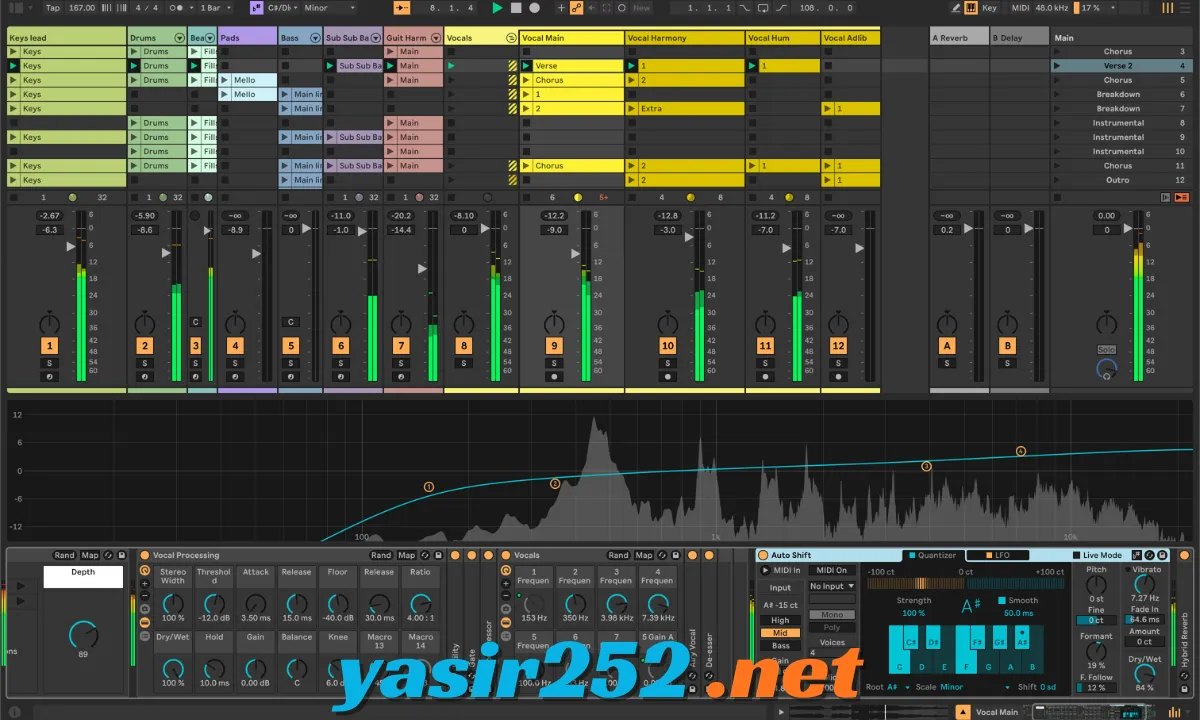
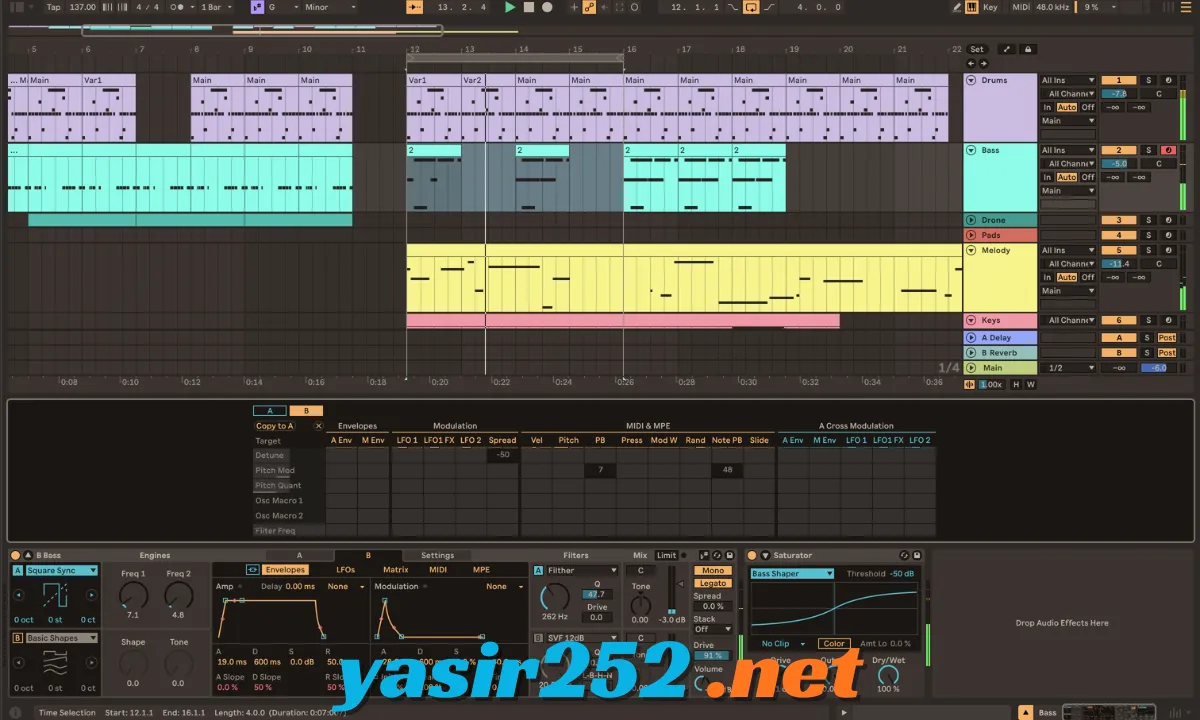
What makes Ableton Live Suite stand out is its unique combination of Session View and Arrangement View. You can experiment with musical loops and ideas in real time or build complete tracks using a traditional timeline-based workflow. It also includes an extensive collection of virtual instruments, audio effects, MIDI tools, sound libraries, and creative production features. If you’re looking for professional music production software, Ableton Live Suite is one of the most popular choices available.
| Part / Link | Rapidgator / DDownload | Nitroflare |
| Ableton Live Suite 12.4.16 (Part 1) | 🟢 DOWNLOAD | 🔴 DOWNLOAD |
| Ableton Live Suite 12.4.16 (Part 2) | 🟢 DOWNLOAD | 🔴 DOWNLOAD |
| Ableton Live Suite 12.4.16 (Part 3) | 🟢 DOWNLOAD | 🔴 DOWNLOAD |
| Ableton Live Suite 12.4.16 (Part 4) | 🟢 DOWNLOAD | 🔴 DOWNLOAD |
| Ableton Live Suite 12.4.16 (Part 5) | 🟢 DOWNLOAD | 🔴 DOWNLOAD |
Ableton Live Suite Software Information
| Field | Details |
|---|---|
| Title | Ableton Live Suite |
| Genre | Digital Audio Workstation (DAW) |
| Developer | Ableton |
| Publisher | Ableton |
| Franchise | Ableton Live |
| Release Date | March 5, 2024 (Live 12 release) |
Key Features of Ableton Live Suite
1. Session View
Session View provides a flexible environment for experimenting with musical ideas. You can launch audio and MIDI clips independently, combine different loops, and experiment with arrangements without following a fixed timeline.
2. Arrangement View
Arrangement View allows you to organize your music using a traditional timeline. Record instruments, arrange audio clips, edit MIDI patterns, and build complete songs from beginning to end.
3. Powerful MIDI Editing
Ableton Live Suite includes advanced MIDI editing tools for creating melodies, harmonies, rhythms, and complex musical arrangements. You can edit individual notes, adjust timing, and customize MIDI performances.
4. Extensive Virtual Instruments
Suite includes a large collection of built-in instruments for producing different musical styles. You can create synthesizer sounds, electronic basslines, atmospheric textures, drums, and cinematic effects.
5. Wavetable Synthesizer
Wavetable is a powerful synthesizer that allows you to explore different waveforms and create unique electronic sounds. It provides extensive modulation and sound-design possibilities.
6. Analog Synthesizer
Analog delivers classic analog-style synthesizer sounds. It is useful for creating warm basslines, leads, pads, and vintage-inspired electronic music.
7. Operator Instrument
Operator is an FM synthesizer designed for creating a wide range of sounds. It is particularly useful for electronic percussion, metallic tones, bass sounds, and digital textures.
8. Drum Production Tools
Create beats and electronic rhythms using Ableton’s drum instruments and MIDI sequencing features. You can organize samples, build drum patterns, and experiment with different rhythmic styles.
9. Audio Effects Collection
Ableton Live Suite includes numerous audio effects for shaping and processing sounds. These tools include equalization, compression, reverb, delay, distortion, modulation, and other creative processing options.
10. Audio Recording and Editing
Record vocals, guitars, keyboards, and other instruments directly into your project. You can edit recordings, adjust their timing, arrange clips, and process audio without switching applications.
11. Max for Live Integration
Max for Live expands Ableton’s creative capabilities with additional instruments, audio effects, MIDI devices, and custom tools. It also allows users to create their own devices and experimental music-production workflows.
12. MIDI Effects
Use MIDI effects to transform notes and create interesting musical patterns. Tools such as Arpeggiator, Chord, Scale, and Note Length help you experiment with melodies and rhythmic arrangements.
13. Audio Warping
Ableton’s audio warping technology allows you to adjust the timing and tempo of audio recordings. You can synchronize samples, loops, and recordings with your project without changing their original pitch unnecessarily.
14. Sound Library
Live Suite includes an extensive collection of sounds, samples, presets, and musical content. These resources help producers start projects quickly and explore different genres.
15. Advanced Automation
Automate mixer settings, instrument parameters, and audio effects throughout your project. This allows you to create evolving sounds, transitions, volume changes, and detailed musical arrangements.
16. Live Performance Capabilities
Ableton Live is designed for both studio production and stage performances. Session View, clip launching, MIDI mapping, and real-time control make it suitable for DJs and electronic performers.
17. Comping and Take Recording
Record multiple takes of an audio performance and combine the best sections into one final recording. This is particularly useful when recording vocals and live instruments.
18. MIDI and Audio Hardware Support
Connect compatible MIDI controllers, audio interfaces, synthesizers, and other music equipment. Ableton Live supports flexible hardware integration for studio and performance workflows.
19. Multitrack Mixing
Mix multiple audio and MIDI tracks using the built-in mixer. Adjust levels, panning, effects, and routing to achieve a balanced final production.
20. Advanced Sound Design
Combine synthesizers, samples, modulation, and audio effects to create original sounds. Suite provides a flexible environment for experimental electronic music and professional sound design.
Ableton Live Suite vs Standard vs Intro
Ableton Live comes in three main editions. Suite offers the most comprehensive collection of instruments, effects, and sound content.
| Features | Intro | Standard | Suite |
|---|---|---|---|
| Session View | Yes | Yes | Yes |
| Arrangement View | Yes | Yes | Yes |
| Audio and MIDI Recording | Yes | Yes | Yes |
| MIDI Effects | Limited | More | Full Collection |
| Built-in Instruments | Limited | More | Extensive |
| Audio Effects | Limited | More | Full Collection |
| Max for Live | No | No | Yes |
| Sound Library | Limited | Expanded | Largest Collection |
| License | Paid | Paid | Paid |
Ableton Live Suite System Requirements
Before installing Ableton Live Suite, make sure your computer meets the required system specifications.
-
Operating System: Windows 10 (Version 22H2) or Windows 11 (64-bit).
-
Processor: 64-bit Intel or AMD multi-core processor.
-
RAM: At least 8 GB recommended.
-
Storage: Sufficient free space for installation and sound libraries.
-
Display: Compatible display with supported resolution.
-
Audio Hardware: Compatible audio interface or built-in audio device.
-
Internet Connection: Required for authorization, downloads, and updates.
For larger music projects, using 16 GB or more RAM and a fast SSD can provide a smoother production experience.
What Is New in Ableton Live 12?
Ableton Live 12 introduced several creative improvements and workflow enhancements for music producers.
MIDI Transformations: Generate new musical ideas by transforming existing MIDI patterns and notes.
MIDI Generators: Create musical patterns using different generative MIDI tools.
New Sound Devices: Explore additional instruments and sound-design possibilities included in the updated editions.
Scale Awareness: Work with musical scales more easily and keep MIDI notes aligned with your selected scale.
Enhanced Browser: Find sounds, instruments, effects, and project content more efficiently.
New Themes: Customize the appearance of Ableton Live with additional interface themes.
Improved Workflow: Take advantage of enhanced editing and navigation features to organize music projects more efficiently.
Is Ableton Live Suite Free to Download?
Ableton Live Suite is commercial software, so the complete version is not permanently free. Ableton provides an official free trial that allows users to explore the software before purchasing a license.
The trial is different from the licensed Suite edition, and users should not confuse trial access with a permanently free full version.
Regarding torrent downloads, unofficial cracked copies can contain modified installers, malware, or unauthorized license modifications. For security and reliable updates, the official download is the recommended option.
How to Download and Install Ableton Live Suite
Follow these steps to get Ableton Live Suite from the official website:
-
Visit the official Ableton website.
-
Open the Live download section.
-
Select the available Live trial download.
-
Choose the Windows installer.
-
Wait for the download to finish.
-
Open the downloaded installation file.
-
Follow the setup instructions.
-
Launch Ableton Live after installation.
-
Complete the official authorization process if required.
-
Start creating music using the available instruments and effects.
Conclusion
Ableton Live Suite is an excellent digital audio workstation for music producers, DJs, composers, and sound designers. Its combination of Session View, Arrangement View, advanced MIDI editing, virtual instruments, audio effects, and Max for Live makes it a powerful solution for professional music production.
Although many users search for Ableton Live Suite torrent or free full-version downloads, the official trial is the safer way to explore the software without purchasing a license immediately. If you want a complete music production environment with advanced creative tools, Ableton Live Suite is definitely worth checking out.