
ChessBase 27.3 Download [2027] – Chess Database, Analysis & Training Software
ChessBase is one of the most popular chess software platforms for players who want to improve their game, analyze matches, study grandmasters, and manage large chess databases. It offers tools for reviewing games, exploring opening theory, checking tactical ideas, and learning from professional-level chess content.
Whether you’re a beginner learning chess fundamentals or an advanced player preparing for tournaments, ChessBase provides a powerful workspace for chess analysis and training. With its database features, analysis board, opening preparation tools, and access to online chess resources, it helps players study chess more seriously and organize their improvement in one place.
ChessBase 27.3 Download Links
| Rapidgator | DDownload | Nitroflare |
|---|---|---|
| 🟣 DOWNLOAD | 🔵 DOWNLOAD | 🟡 DOWNLOAD |
ChessBase Software Information
| Field | Details |
|---|---|
| Title | ChessBase |
| Genre | Chess Database, Analysis & Training Software |
| Developer | ChessBase GmbH |
| Publisher | ChessBase GmbH |
| Franchise | ChessBase |
| Release Date | Original ChessBase software launched in the 1980s; current editions vary |
| Platform | Windows; online chess services are accessible through supported browsers |
| License | Commercial software with free tools and online services available |
| Official Website | https://www.chessbase.com/ |
What Is ChessBase?
ChessBase is a professional chess software platform designed to help players analyze games, explore chess openings, organize game collections, and improve their playing skills. It combines a powerful chess database with an analysis board, search functions, training features, and tools for studying games played by strong players around the world.
The software is widely used by chess enthusiasts, coaches, tournament players, and professionals who want to build opening repertoires, examine game positions, study tactics, and review their own games. ChessBase also offers online resources, including chess playing and training services, depending on the available edition and subscription.
Key Features of ChessBase
1. Powerful Chess Database
ChessBase allows you to collect, store, sort, and explore thousands or even millions of chess games. You can search games by player, tournament, date, opening, position, or other available criteria, making it easier to study chess history and find relevant matches.
2. Advanced Chess Analysis Board
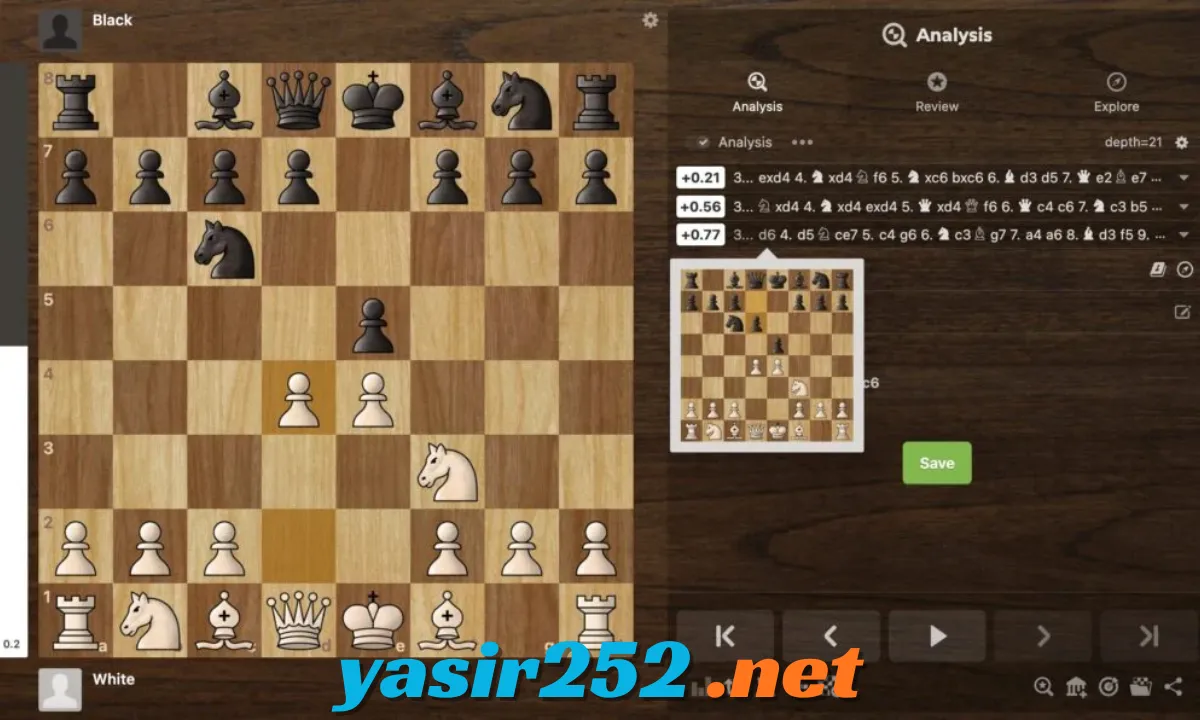
Analyze positions and explore different moves
The analysis board lets you examine chess positions, test variations, and explore different move sequences. It is useful for understanding mistakes, studying tactical opportunities, and developing better strategic decisions.
3. Opening Preparation
ChessBase helps players study chess openings by exploring opening databases, examining popular moves, and reviewing games played by experienced players. You can build your own repertoire and prepare specific opening lines for upcoming matches.
4. Game Search and Filtering
Search through chess databases using detailed filters such as player names, tournaments, game results, opening positions, dates, and other game information. This makes it easier to locate specific games or discover interesting examples for training.
5. Chess Tactics and Training
Use chess games, positions, and training materials to work on tactical patterns, calculation, strategic thinking, and positional understanding. Available training resources depend on the edition and associated content.
6. Game Collection Management
Organize your chess games into databases, save important matches, categorize collections, and maintain your own library of chess material. This feature is particularly useful for coaches, competitive players, and chess researchers.
7. Grandmaster Game Studies
Explore games played by professional and grandmaster-level players to learn how they approach openings, middlegames, and endgames. Annotated games and instructional materials can help explain why certain moves work and how strategic plans develop.
8. Chess Engine Integration
ChessBase supports chess engine analysis, allowing players to evaluate positions, test variations, and compare possible moves. Engine availability, configuration, and performance depend on your installation and supported engines.
9. Opening Statistics
Review opening statistics and game results to understand how particular opening lines perform. Statistics can help you identify common moves, explore alternatives, and prepare more informed opening strategies.
10. Analysis of Your Own Games
Import or save your own chess games and review them using analysis tools. You can identify mistakes, investigate missed opportunities, and examine alternative variations to improve your future performance.
11. ChessBase Online Services
ChessBase provides online chess resources, including playing, training, and other chess-related services through its website and associated platforms. Some services require an account, subscription, or additional purchase.
12. PGN Support and Chess Game Files
ChessBase works with chess game databases and common chess game formats, including PGN. This allows players to import, export, exchange, and organize chess games from different sources.
13. Professional Chess Preparation
The software offers tools for serious chess preparation, helping players research opponents, examine previous games, identify opening patterns, and prepare strategic ideas for competitive matches.
14. Chess Training Resources
Depending on the edition and purchased content, users can access training materials, annotated games, opening lessons, tactical exercises, videos, and chess publications.
15. ChessBase 26
ChessBase 26 is one of the modern desktop editions of the ChessBase software. The available edition, databases, engines, training content, and online services depend on the package you purchase, so check the official product page before choosing a version.
ChessBase Online – Play Chess and Study Games
ChessBase is not only a desktop chess database program. The ChessBase ecosystem also provides online resources for playing chess, studying games, and accessing chess-related content.
Players looking for ChessBase online, play ChessBase online, or ChessBase free online can explore the official website and its available services. Online features, account requirements, and subscription benefits may differ from the desktop software.
-
Play chess online: Explore available online chess playing services.
-
Chess analysis: Study chess positions and explore possible variations.
-
Chess games: Explore game collections and chess-related content.
-
Chess training: Access available training materials and lessons.
-
Chess account: Sign in to access account-based features and services.
ChessBase Database
The ChessBase database is one of the most useful parts of the software for players who want to study chess at a deeper level. A database can contain thousands or millions of chess games, depending on the database package and collection you use.
You can explore chess games by:
-
Player name
-
Tournament name
-
Game date
-
Opening classification
-
Game result
-
Position on the board
-
Specific moves or variations
Chess databases are especially helpful when preparing for tournaments because they allow you to examine how different players handle particular openings and positions.
ChessBase Analysis Board
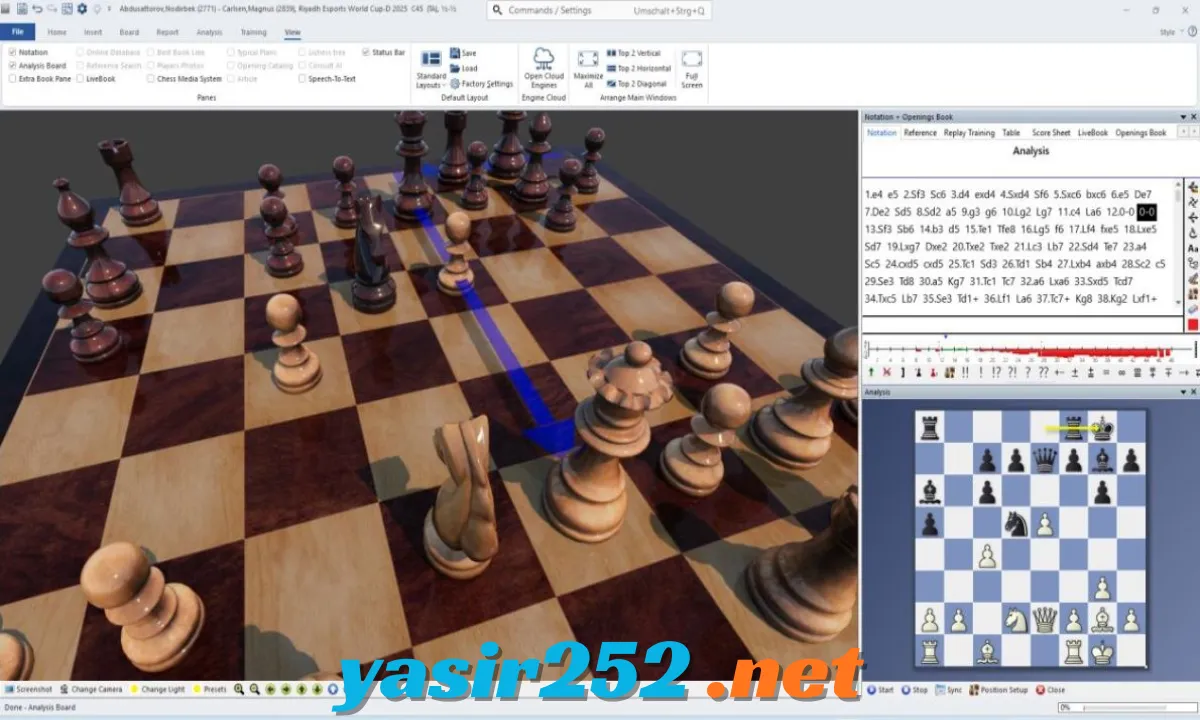
The ChessBase analysis board provides a workspace for examining chess positions and exploring different move possibilities. You can replay games, test alternative moves, investigate tactical ideas, and use compatible chess engines to evaluate positions.
The analysis board is useful for:
-
Reviewing completed chess games.
-
Studying opening variations.
-
Exploring tactical combinations.
-
Examining endgame positions.
-
Testing alternative moves.
-
Improving strategic understanding.
ChessBase Reader
ChessBase Reader is a chess database and game-reading tool associated with the ChessBase ecosystem. It is designed to help users open, read, and examine chess games and compatible chess database materials.
The exact capabilities and compatibility depend on the Reader version. If you want a lightweight tool for reading chess games rather than purchasing the full ChessBase desktop software, check the official ChessBase website for the currently available Reader edition and its supported formats.
ChessBase India
ChessBase India is a chess platform and chess media outlet that provides chess news, tournament coverage, videos, training content, interviews, chess products, and other resources for chess enthusiasts.
ChessBase India is particularly popular among Indian chess fans, but its content and products may also be available to international users depending on the service or store offering.
You can explore ChessBase India for:
-
Chess tournament coverage.
-
Chess news and interviews.
-
Chess training videos.
-
Chess books and products.
-
Chess equipment and sets.
-
Chess-related educational content.
How to Download ChessBase
If you want to download ChessBase for Windows, use the official ChessBase website to find the appropriate software edition. Avoid unofficial download websites that offer modified installers, fake activation keys, or suspicious executable files.
Steps to Download and Install ChessBase
-
Open the official ChessBase website: https://www.chessbase.com/
-
Visit the software or product section.
-
Find the available ChessBase desktop edition.
-
Check the software version, system requirements, and license details.
-
Purchase the software if required or choose an officially available free edition or trial.
-
Download the installation file from the official source.
-
Run the installer and follow the installation instructions.
-
Activate your software if your edition requires a license.
-
Open ChessBase and start importing, analyzing, or studying chess games.
ChessBase System Requirements
The exact system requirements depend on the ChessBase edition, chess engine, database size, and installed training content. The following is a general PC setup recommendation rather than a verified minimum specification for a particular release.
| Component | Recommended Setup |
|---|---|
| Operating System | Windows 10 or Windows 11 |
| Processor | Modern Intel or AMD CPU |
| RAM | 8 GB or more |
| Storage | SSD recommended; space depends on database size |
| Graphics | Integrated graphics generally sufficient for basic database and board use |
| Internet | Required for online services, activation, updates, or downloads where applicable |
| Display | Standard PC monitor |
System requirements can vary by edition, database package, and engine. Check the product documentation before installation.
Is ChessBase Free to Download?
ChessBase is primarily commercial desktop software, and full desktop editions may require purchasing a license. However, the ChessBase ecosystem also includes online services, free chess resources, and other tools that may be available without purchasing the full desktop program.
The availability of free editions, Reader tools, online features, and trials can change over time.
-
Full ChessBase desktop editions: Generally require a paid license.
-
ChessBase online resources: Some content and services may be available for free.
-
ChessBase Reader: Availability and functionality depend on the currently offered edition.
-
Chess databases: Some collections are free, while premium databases may require purchasing.
-
Chess training products: Pricing depends on the content and package.
If you are searching for ChessBase 26 free download, ChessBase 15 free download, ChessBase 18 free download, or ChessBase 16 free download, verify that the installer is officially distributed and that the edition’s license allows your intended use. Older versions may no longer be officially distributed.
Pros and Cons of ChessBase
Pros
-
Powerful Game Database: Explore and organize extensive chess game collections.
-
Professional Analysis: Examine positions and variations using compatible chess engines.
-
Opening Preparation: Study opening theory and prepare chess repertoires.
-
Game Research: Search games using players, tournaments, positions, and other filters.
-
Training Opportunities: Study annotated games and available educational content.
-
Game Management: Organize personal game collections and chess materials.
-
Professional Tools: Useful for tournament players, coaches, and advanced chess enthusiasts.
Cons
-
Paid Desktop Software: Full editions generally require a commercial license.
-
Learning Curve: Some database and analysis tools may feel complicated to beginners.
-
Edition Differences: Features, databases, and included content vary by package.
-
Windows Compatibility: Desktop editions may not support every operating system natively.
-
Additional Costs: Premium databases, magazines, training products, or services may require separate purchases.
Best ChessBase Alternatives
If ChessBase doesn’t fit your budget or needs, there are several other chess programs and platforms worth exploring.
| Software | Main Purpose | Pricing |
|---|---|---|
| Lichess | Online chess, analysis, puzzles, studies | Free |
| Chess.com | Chess playing, puzzles, lessons, analysis | Free and paid plans |
| SCID vs PC | Chess databases and analysis | Free |
| Lucas Chess | Chess training and engine practice | Free |
| Fritz | Chess analysis, training and play | Commercial |
Frequently Asked Questions (FAQs)
1. What is ChessBase?
ChessBase is chess database and analysis software used to study chess games, analyze positions, prepare openings, organize game collections, and improve chess skills.
2. Is ChessBase free to download?
ChessBase desktop editions are generally commercial software. Some online services, resources, and other tools may be available for free.
3. Can I download ChessBase for Windows 11?
Yes, supported ChessBase desktop editions can be installed on compatible Windows 11 systems. Check the official system requirements for the edition you want to use.
4. What is ChessBase 26?
ChessBase 26 is a desktop edition of the ChessBase chess database and analysis software, providing tools for studying games, organizing databases, and preparing chess openings.
5. Can I play ChessBase online?
You can explore online chess playing and other chess services through the ChessBase website and associated platforms. Available features depend on the service.
6. What is ChessBase India?
ChessBase India is a chess media and content platform offering chess news, tournament coverage, interviews, videos, training content, and chess-related products.
7. Does ChessBase support PGN files?
ChessBase supports common chess game formats, including PGN, which is used to store and exchange chess games.
8. What is ChessBase Reader?
ChessBase Reader is a tool associated with the ChessBase ecosystem for reading and examining chess games and compatible chess materials.
9. Can ChessBase analyze chess games?
Yes, ChessBase provides game analysis tools and supports compatible chess engines for evaluating positions and exploring variations.
10. Can ChessBase help me improve my chess?
Yes, it can help you study openings, analyze your games, explore grandmaster games, examine tactical ideas, and review mistakes.
11. Is ChessBase suitable for beginners?
Yes, beginners can use ChessBase to study games and explore chess positions, although some advanced database features may take time to learn.
12. Can I use ChessBase to prepare openings?
Yes, ChessBase is widely used for opening preparation, exploring opening variations, reviewing games, and developing personal repertoires.
13. Is ChessBase available for Mac?
ChessBase desktop software is primarily designed for Windows. Mac users should check the compatibility information for the specific edition and possible supported Windows environments.
14. What is the ChessBase Mega Database?
The Mega Database is a large chess game collection that includes historical and modern games, with additional annotations and classification features depending on the edition.
15. Is ChessBase 15 still available?
ChessBase 15 is an older version. Its official availability may be limited, so check the ChessBase website for currently supported and officially distributed editions.
16. Can I download ChessBase 18?
ChessBase 18 is an older edition. Check the official website or store to determine whether the edition is still available for purchase or download.
17. Does ChessBase include chess tactics?
ChessBase supports chess study and training workflows, including tactical analysis. Dedicated training content and exercises may depend on the edition or additional products.
18. Can I use ChessBase without an internet connection?
Many desktop database and analysis functions can work offline once the software and required resources are installed. Online features, activation, updates, and connected services may require internet access.
19. Where can I download ChessBase safely?
The safest place to download ChessBase desktop software is its official website at https://www.chessbase.com/.
20. Is ChessBase worth using?
ChessBase is worth considering if you want a comprehensive chess database, professional game research tools, opening preparation, and detailed chess analysis. Casual players who only want to play online may prefer free chess platforms.
Final Words
ChessBase remains a powerful chess database and analysis platform for players who want to study games, explore openings, improve their strategies, and organize their chess collections. Its combination of game searching, analysis tools, opening preparation, and training resources makes it useful for beginners, coaches, tournament players, and experienced chess enthusiasts.
If you’re searching for ChessBase download in 2027, choose an officially supported edition that matches your requirements and use the official website to obtain the installer and license information. Whether you’re studying grandmaster games or reviewing your own matches, ChessBase can provide a structured way to take your chess knowledge further.