
Free Download Manager Online – Free Download Accelerator for Windows, Mac, Linux & Android 6.36.0.7128 (x64) Multilingual
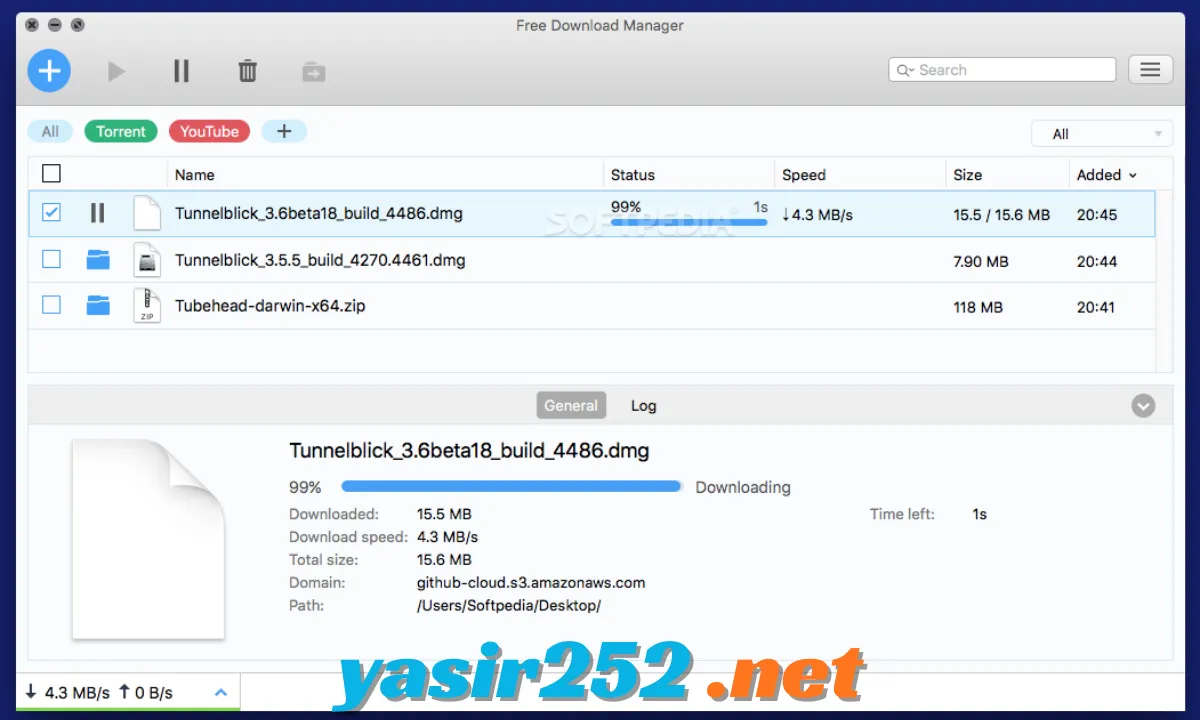
Free Download Manager (FDM) is a free download manager that helps you download files from the internet, organize transfers, and manage large downloads more efficiently. Instead of relying only on your browser’s basic download feature, FDM gives you a central place to pause, resume, schedule, and monitor multiple downloads.
The software is useful for downloading documents, applications, videos from supported websites, archives, and other files. It can split compatible downloads into smaller sections to use multiple connections, resume interrupted transfers, and manage torrent and magnet links. FDM is available for Windows, macOS, Linux, and Android, making it a practical option for users who want download management across different devices.
Free Download Manager (FDM) 6 Download Links
| Part / Link | Official / DDownload | Rapidgator | Nitroflare |
|---|---|---|---|
| Free Download Manager (64-bit) | 🔵 DOWNLOAD | 🟣 DOWNLOAD | 🟡 DOWNLOAD |
Free Download Manager – Software Information
| Field | Details |
|---|---|
| Title | Free Download Manager (FDM) |
| Version | 6.35 series (latest build varies by platform) |
| Developer | Free Download Manager |
| Publisher | Free Download Manager |
| License | Freeware / Open Source |
| Category | Internet & Network / Download Manager |
| Operating System | Windows, macOS, Linux, Android |
| Windows Installer | 64-bit, approximately 49 MB for the listed build |
| Plugin Formats | Browser extensions and add-ons |
| Official Website | Free Download Manager |
What Is Free Download Manager?
Free Download Manager is an internet download accelerator and organizer designed to make file transfers easier to control. It supports HTTP, HTTPS, FTP, and BitTorrent downloads, while providing tools for managing download queues, setting speed limits, and resuming supported interrupted transfers.
Its segmented downloading technology can split compatible files into multiple sections and download them simultaneously. FDM also integrates with supported web browsers, allowing compatible downloads to be sent directly to the application instead of being managed entirely through the browser.
Key Features of Free Download Manager
– Download Acceleration: Split compatible files into multiple sections and download them simultaneously. This can improve transfer speeds when the source server supports multiple connections.
– Resume Interrupted Downloads: Continue supported downloads after internet disconnections, computer restarts, or temporary network problems. This saves time when downloading large files.
– HTTP and HTTPS Support: Download files from websites using standard HTTP and HTTPS links. FDM organizes these transfers in its download list.
– FTP Download Support: Connect to supported FTP servers and download available files. This is useful for accessing files hosted on FTP services.
– BitTorrent Support: Download torrent files and magnet links directly through the built-in BitTorrent client. You can manage peer-to-peer transfers alongside regular downloads.
– Download Scheduling: Schedule downloads to begin at a selected time. This is useful when you prefer to download large files during off-peak internet hours.
– Browser Integration: Connect FDM with supported browsers such as Google Chrome and Mozilla Firefox. Compatible downloads can automatically be transferred to the desktop application.
– Microsoft Edge Support: Use supported browser integration options to manage compatible downloads from Edge. The required extension and desktop application must be installed and configured.
– Bandwidth Management: Control how much internet bandwidth is assigned to downloads. This helps keep browsing, streaming, gaming, and other online activities responsive.
– Traffic Modes: Switch between different traffic usage modes to adjust download activity according to your internet needs. This is useful when sharing a connection with other people.
– Download Queue Management: Add several files to a queue and manage their download order. You can pause, resume, remove, and organize individual transfers.
– Torrent Priority Control: Manage the priority of files within supported torrent downloads. This gives you more control over which content is transferred first.
– Magnet Link Support: Open magnet links directly in FDM without needing to download a separate torrent file first.
– Video Download Add-on: Use the official Elephant add-on for supported video websites. Availability depends on the website, browser, and current add-on compatibility.
– Download Organization: Keep downloaded files organized in one central interface. Tags and categories make it easier to manage different types of downloads.
– Automatic File Categorization: Organize downloads according to file types and supported categories. This helps keep documents, programs, archives, and media files easier to locate.
– Multiple Simultaneous Downloads: Download multiple files at the same time and manage their progress from one window. You can adjust priorities according to your requirements.
– Download Progress Monitoring: Check the progress, transfer speed, remaining time, and status of active downloads. This makes it easier to monitor large transfers.
– Multilingual Interface: Use FDM in different supported languages. The application offers translations for users in multiple regions.
– Cross-Platform Compatibility: Install FDM on Windows, macOS, Linux, or Android. Each platform has its own installer or application package.
– Free and Open-Source Software: Use the main download management features without purchasing a subscription. The project also provides access to its open-source development resources.
Free Download Manager Download Protocols
FDM supports different transfer methods for handling files from online sources.
| Protocol | Purpose |
|---|---|
| HTTP | Download files from standard web links |
| HTTPS | Download files through encrypted web connections |
| FTP | Transfer files from supported FTP servers |
| BitTorrent | Download files through peer-to-peer networks |
| Magnet Links | Start torrent downloads using magnet addresses |
Free Download Manager Browser Integration
FDM can connect with compatible web browsers through official extensions. Once configured, the browser can send supported file downloads to the desktop application.
| Browser | Integration |
|---|---|
| Google Chrome | Official extension available |
| Mozilla Firefox | Official extension available |
| Microsoft Edge | Supported browser integration options |
| Other Browsers | Compatibility depends on extension availability |
Note: Browser integration requires the FDM desktop application. Installing the extension alone does not provide the complete download management functionality.
Free Download Manager System Requirements
The latest FDM builds have different requirements depending on the operating system and platform. The following table summarizes the available compatibility information.
| Component | Requirement |
|---|---|
| Windows | Windows 10 and Windows 11 for the current 64-bit build |
| Older Windows | Older releases are available for Windows 7 and 8.1 |
| macOS | Current builds support macOS 13 or later |
| Linux | Linux distribution with compatible DEB package or Flathub support |
| Android | Android 5.0 or later for older supported builds; check current store compatibility |
| Architecture | 64-bit builds available for supported platforms |
| RAM | Depends on operating system and download workload |
| Storage | Space required for installation and downloaded files |
| Internet Connection | Required for online downloads |
The current Windows, macOS, Linux, and Android releases may not share the same version number or minimum operating system requirements.
Is Free Download Manager Really Free?
Yes. Free Download Manager is genuinely free software. Unlike commercial download managers that offer only limited trial periods, FDM provides its main download management features without requiring a paid subscription.
The official website describes FDM as free and open-source software. It does not require users to purchase a licence to access its standard download acceleration, scheduling, torrent, and download organization features.
| Feature | Availability |
|---|---|
| Free Download | Yes |
| Download Acceleration | Yes |
| Resume Downloads | Yes |
| Torrent and Magnet Links | Yes |
| Browser Integration | Yes |
| Download Scheduling | Yes |
| Bandwidth Management | Yes |
| Paid Subscription Required | No |
| Trial Expiration | No standard trial limit |
| Open-Source Project | Yes |
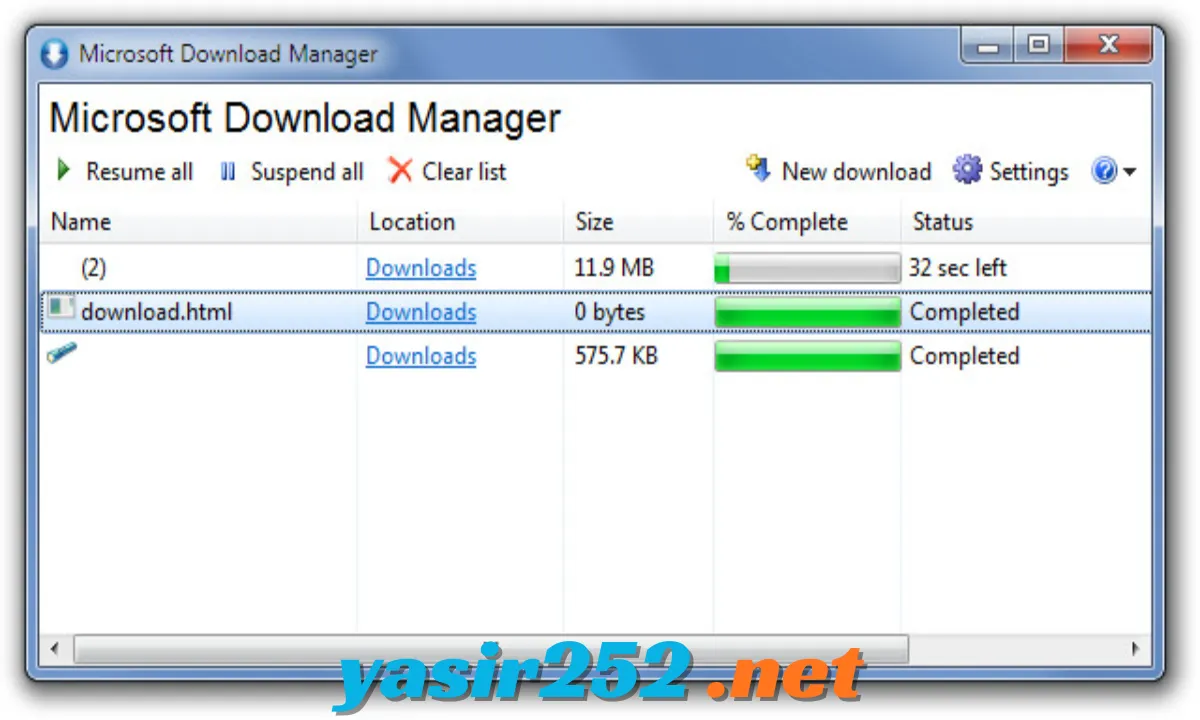
Free Download Manager vs Internet Download Manager
FDM and Internet Download Manager (IDM) are popular applications for managing internet downloads. However, they differ in pricing and platform support.
| Feature | Free Download Manager | Internet Download Manager |
|---|---|---|
| Price | Free | Paid after trial |
| Windows Support | Yes | Yes |
| macOS Support | Yes | No official native desktop edition |
| Linux Support | Yes | No official native edition |
| Android Support | Yes | No official Android edition |
| Download Acceleration | Yes | Yes |
| Resume Downloads | Yes | Yes |
| Torrent Support | Built in | Not a core feature |
| Browser Integration | Yes | Yes |
| Bandwidth Control | Yes | Yes |
FDM is a strong option if you want a free, cross-platform download manager with built-in torrent support. IDM may appeal to users who prefer its established Windows-focused download workflow.
How to Download Free Download Manager
You can download the latest available FDM version directly from its official website.
-
Open the official Free Download Manager download page.
-
Select your operating system.
-
Choose the appropriate installer or package.
-
For Windows, select the 64-bit installer if your computer supports it.
-
For macOS, choose the Intel or Apple Silicon version.
-
For Linux, select the available DEB package or Flathub option.
-
For Android, use the official Google Play listing or the developer’s download page.
-
Save the installer and wait for the download to finish.
Official Download Page: https://www.freedownloadmanager.org/download.htm
How to Install Free Download Manager on Windows
-
Download the Windows installer from the official website.
-
Open your Downloads folder.
-
Double-click the FDM setup file.
-
Approve the Windows permission prompt if required.
-
Follow the installation wizard.
-
Select the installation options if prompted.
-
Wait for the installation to complete.
-
Launch Free Download Manager from the Start menu.
-
Install the official browser extension if you want automatic browser integration.
How to Use Free Download Manager
-
Open FDM: Launch the application on your computer.
-
Add a Download: Click the add-download option.
-
Enter the URL: Paste the direct download link into the address field.
-
Choose a Location: Select the folder where you want to save the file.
-
Start Downloading: Confirm the download and allow FDM to begin the transfer.
-
Monitor Progress: Check download speed, progress, and remaining time.
-
Pause or Resume: Use the available controls to pause or continue a supported transfer.
-
Open the File: Once completed, access the downloaded file from the application or its saved location.
Advantages and Disadvantages
| Advantages | Disadvantages |
|---|---|
| Completely free to use | Current builds have specific OS requirements |
| Open-source software | Browser integration requires extensions |
| Supports multiple download protocols | Speed improvements depend on the source server |
| Built-in BitTorrent client | Not every website supports resumable downloads |
| Can resume interrupted transfers | Video add-on compatibility can vary |
| Download scheduling | Interface may take time for beginners to understand |
| Bandwidth management | Some advanced options require configuration |
| Windows, Mac, Linux, and Android support | Different platforms have different features |
Frequently Asked Questions
1. What is Free Download Manager?
Free Download Manager is a free application that helps users accelerate, organize, schedule, and manage downloads from the internet.
2. Is Free Download Manager completely free?
Yes. FDM is free software and does not require a paid subscription or standard trial activation for its main features.
3. What is the latest version of Free Download Manager?
The current release belongs to the 6.35 series. The exact build number varies by platform, so check the official download page for the newest installer.
4. Does Free Download Manager support Windows 11?
Yes. The latest Windows builds support Windows 11 and Windows 10.
5. Can Free Download Manager increase download speed?
Yes. FDM can divide compatible files into multiple sections and download them simultaneously. Actual speed depends on your internet connection, server restrictions, and available bandwidth.
6. Does Free Download Manager support torrents?
Yes. It includes a built-in BitTorrent client that supports torrent files and magnet links.
7. Can FDM resume interrupted downloads?
Yes. It can resume supported interrupted downloads when the original server allows continuation and the download link remains valid.
8. Does Free Download Manager work with Chrome?
Yes. FDM provides an official Chrome extension that connects the browser to the installed desktop application.
9. Does Free Download Manager support Firefox?
Yes. An official Firefox extension is available for browser integration.
10. Can I use Free Download Manager on Mac?
Yes. FDM provides macOS installers for compatible Intel and Apple Silicon computers.
11. Is Free Download Manager available for Linux?
Yes. Linux users can download the DEB package or install it through Flathub where supported.
12. Can FDM download YouTube videos?
FDM does not guarantee YouTube downloading. Website support can change, and users should follow the site’s terms, copyright rules, and applicable permissions.
13. Does Free Download Manager contain advertisements?
The official project describes its software as free from adware. Download the installer from the official website to avoid modified third-party packages.
14. Can I schedule downloads with FDM?
Yes. FDM includes a scheduler that allows you to plan when supported downloads should start.
15. Is Free Download Manager better than IDM?
It depends on your requirements. FDM is free, cross-platform, and includes torrent support, while IDM is a paid Windows-focused download manager with its own browser integration features.
Conclusion
Free Download Manager is a useful choice for anyone who wants better control over internet downloads without paying for a commercial download manager. Its segmented downloading, interrupted-download recovery, torrent support, browser integration, scheduling, and bandwidth management make it suitable for everyday and large-file downloads.
The software is genuinely free and available for Windows, macOS, Linux, and Android. If you regularly download applications, documents, archives, or other files, FDM offers a practical way to keep everything organized in one place.