
Microsoft Visual C++ 2015–2022 Redistributable 14.52.37029 Download for Windows
Microsoft Visual C++ 2015–2022 Redistributable x64 is an essential Windows runtime package that allows applications developed with Microsoft Visual C++ to run properly on 64-bit Windows systems. Many games, desktop programs, engineering tools, and professional applications depend on these runtime libraries to work correctly. If you see an error about a missing DLL file, installing the correct Visual C++ Redistributable package may solve the problem.
The package includes the runtime components required by programs built using Visual C++ versions 2015, 2017, 2019, and 2022. Microsoft maintains compatibility across these versions through a shared runtime, so you generally don’t need to install separate redistributables for each release. It is completely free to download from Microsoft’s official website and is commonly needed after installing Windows or setting up new software.
Microsoft Visual C++ Redistributable Download Links
| Part / Link | Official / DDownload | Rapidgator | Nitroflare |
|---|---|---|---|
| Microsoft Visual C++ Redistributable (x86) | 🔵 DOWNLOAD (32-bit) | — | — |
| Microsoft Visual C++ Redistributable (x64) | 🔵 DOWNLOAD (64-bit) | — | — |
| Microsoft Visual C++ Redistributable | — | 🟣 DOWNLOAD | 🟡 DOWNLOAD |
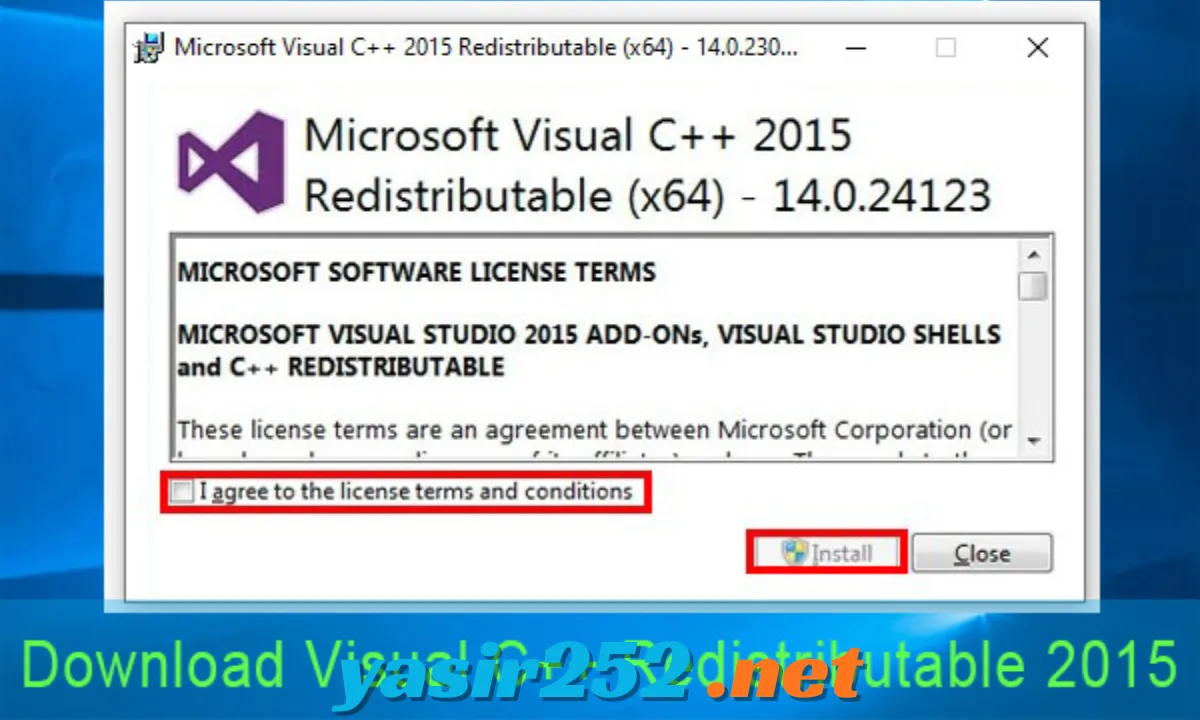
Microsoft Visual C++ 2015–2022 Redistributable x64 Information
| Field | Details |
|---|---|
| Software Name | Microsoft Visual C++ 2015–2022 Redistributable |
| Architecture | x64 (64-bit) |
| Developer | Microsoft Corporation |
| Publisher | Microsoft Corporation |
| License | Freeware |
| Software Category | Runtime Libraries / System Components |
| Operating System | Windows |
| Supported Windows | Windows 10 and Windows 11 |
| Package Type | Runtime Installer |
| File Name | VC_redist.x64.exe |
| File Format | EXE |
| Installation | Standalone installer |
| Official Download | Microsoft Download Center |
What Is Microsoft Visual C++ 2015–2022 Redistributable x64?
Microsoft Visual C++ 2015–2022 Redistributable x64 is a collection of runtime libraries that enables Windows applications built with Microsoft Visual C++ to operate correctly. Developers use these shared libraries when creating software, and the redistributable package installs the components that their applications need on users’ computers.
The package supports applications built with Visual Studio 2015, 2017, 2019, and 2022 through the unified Visual C++ runtime. It includes important DLL files and supporting components used for program execution, memory management, standard C++ functions, and other runtime operations. Installing it can help fix errors involving files such as VCRUNTIME140.dll, VCRUNTIME140_1.dll, and MSVCP140.dll.
Key Features of Microsoft Visual C++ 2015–2022 Redistributable x64
– Free Microsoft Runtime Package: The redistributable is available without a purchase or subscription. You can download the official installer directly from Microsoft.
– 64-Bit Application Support: The x64 package provides runtime libraries for compatible 64-bit Windows applications. It is commonly required by modern desktop software and PC games.
– Unified Visual C++ Runtime: One package supports applications built with Visual Studio 2015, 2017, 2019, and 2022. This shared compatibility helps reduce the need to install separate runtime packages for each supported toolset.
– Missing DLL Error Fixes: Installing the correct runtime can resolve missing-library errors involving files such as VCRUNTIME140.dll, VCRUNTIME140_1.dll, and MSVCP140.dll, provided the application requires this package.
– Microsoft Standard C++ Libraries: The package includes runtime components used by C++ applications for standard language and library operations. These libraries help programs perform their required functions.
– Easy Installation Process: The standalone installer provides a simple setup process. Users can install or repair the runtime without configuring a full Visual Studio development environment.
– Support for Games and Applications: Many Windows games, creative applications, utilities, and business programs depend on Visual C++ runtime components. Installing the redistributable can help those programs launch correctly.
– Windows Integration: The package installs shared runtime components into Windows so compatible applications can access them. It works as a system component rather than a separate application that you open every time.
– Repair and Maintenance: If the installed runtime becomes damaged or incomplete, running the installer again may provide repair options or allow you to reinstall the components.
– Automatic Updates: Microsoft provides updated redistributable releases to include supported runtime improvements and fixes. Keeping the package updated helps maintain compatibility with newer applications.
– No Programming Knowledge Required: You do not need to understand C++ or Visual Studio to install this package. It is designed for regular Windows users as well as developers.
– Separate x86 and x64 Packages: Microsoft provides different installers for 32-bit and 64-bit applications. The x64 installer supports 64-bit programs, while the x86 package is needed for 32-bit programs.
System Requirements
The latest supported Visual C++ v14 Redistributable is intended for modern Windows systems. Make sure you download the package that matches your application’s architecture.
| Component | Requirement |
|---|---|
| Operating System | Windows 10 or Windows 11 for the latest v14 package |
| Architecture | x64 (64-bit) |
| Installer | VC_redist.x64.exe |
| Processor | Compatible 64-bit processor |
| Storage | A small amount of free disk space |
| Administrator Rights | Recommended for installation |
| Internet Connection | Required to download the installer |
| Visual Studio | Not required |
Important: The x64 package is for 64-bit applications. A 64-bit Windows computer may also run 32-bit programs, which can require the separate x86 redistributable. Install both packages when your applications need both architectures.
x64 vs x86 vs ARM64: Which Version Do You Need?
Microsoft provides separate redistributable packages for different processor architectures. Choosing the correct one helps prevent runtime compatibility problems.
| Version | Purpose | Download File |
|---|---|---|
| x64 | For 64-bit Windows applications | VC_redist.x64.exe |
| x86 | For 32-bit Windows applications | VC_redist.x86.exe |
| ARM64 | For applications designed for ARM64 Windows devices | VC_redist.arm64.exe |
For most 64-bit Windows computers, download the x64 package. If you use older 32-bit applications or games, you may also need the x86 package.
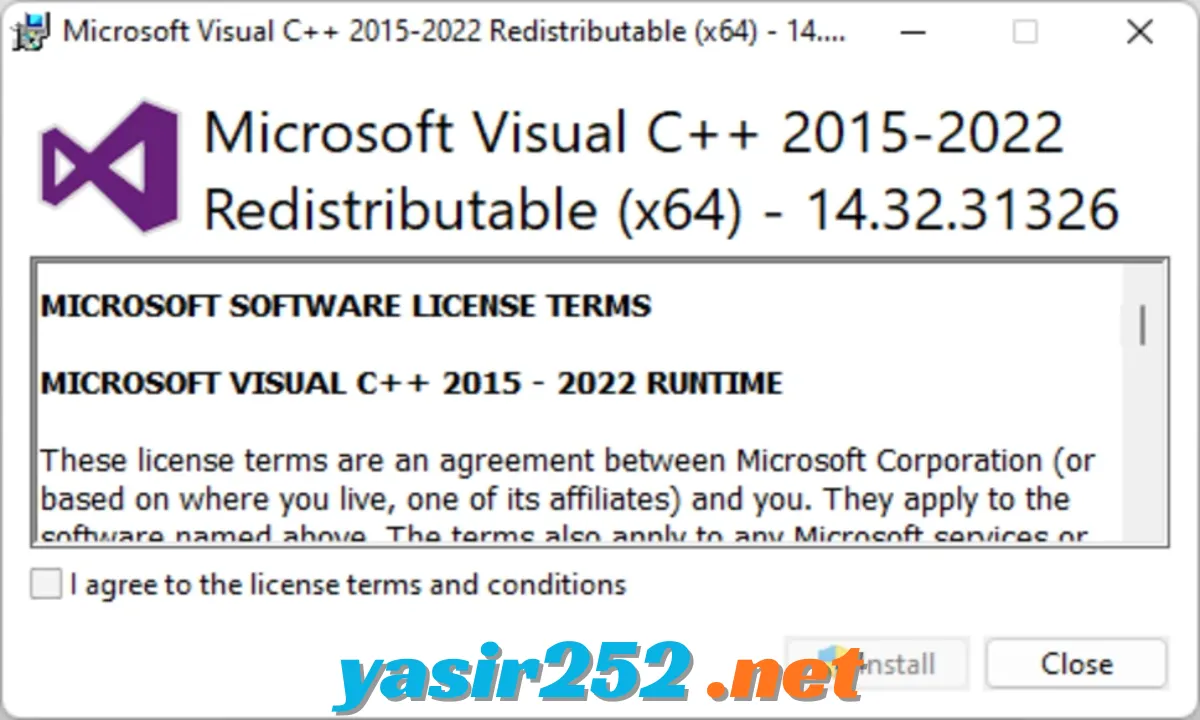
How to Download Microsoft Visual C++ 2015–2022 Redistributable x64
You can download the latest supported x64 redistributable directly from Microsoft. Follow these steps:
-
Open the official Microsoft download link.
-
Select or download the X64 package if prompted.
-
Save
VC_redist.x64.exeto your computer. -
Wait for the download to finish.
-
Open the downloaded installer.
-
Accept the Microsoft licence terms.
-
Click Install to begin the setup.
-
Wait until the installation process completes.
-
Restart Windows if the installer or an application requests it.
Official Microsoft x64 Download
Download Microsoft Visual C++ Redistributable x64
The link downloads the latest supported x64 v14 redistributable from Microsoft. It is not a third-party installer.
How to Install Microsoft Visual C++ 2015–2022 Redistributable x64
After downloading the installer, use this simple installation guide:
-
Open your Downloads folder.
-
Find
VC_redist.x64.exe. -
Right-click the file and select Run as administrator.
-
Read and accept the licence terms.
-
Click Install.
-
Wait while Windows installs the runtime libraries.
-
If a restart is requested, restart your computer.
-
Open the application or game that previously displayed the missing runtime error.
If the installer detects an existing compatible version, it may offer a repair option or indicate that a newer version is already installed.
How to Repair Microsoft Visual C++ Redistributable
If an application continues to display a Visual C++ runtime error, repairing the installed package may help.
-
Open Windows Settings.
-
Select Apps and open the installed apps list.
-
Search for Microsoft Visual C++ 2015–2022 Redistributable.
-
Locate the x64 entry.
-
Select its additional options or open the available maintenance option.
-
Choose Modify or Repair, if available.
-
Follow the on-screen instructions.
-
Restart your computer if necessary.
If the error remains, check whether the application also requires the x86 package or a different Visual C++ runtime version.
Common Errors Fixed by Visual C++ Redistributable
Many Windows applications depend on Microsoft Visual C++ runtime DLL files. If a required library is missing or damaged, the program may fail to launch.
| Error or DLL File | What It Usually Means |
|---|---|
VCRUNTIME140.dll |
Required Visual C++ runtime library is missing or unavailable |
VCRUNTIME140_1.dll |
An additional Visual C++ runtime component is missing |
MSVCP140.dll |
Microsoft C++ standard library component is unavailable |
MSVCP140_1.dll |
An additional C++ standard library component is missing |
MSVCP140_2.dll |
Another required C++ runtime component is unavailable |
| Microsoft Visual C++ Runtime Error | An application has encountered a runtime-related problem |
| Application Unable to Start | A required runtime component may be missing, damaged, or incompatible |
Note: Installing the x64 redistributable does not automatically fix every DLL error. The missing file may belong to a different Visual C++ generation, another architecture, or a separate application dependency. Avoid downloading individual DLL files from unofficial websites.
Does Microsoft Visual C++ 2015–2022 Redistributable x64 Work with Visual Studio 2015–2022?
Yes. The shared Visual C++ v14 runtime maintains binary compatibility with applications built using the Visual Studio 2015, 2017, 2019, and 2022 toolsets. This means many programs created with these versions can use the same updated redistributable.
Microsoft’s newer v14 runtime also supports applications built with Visual Studio 2026. The latest supported package is recommended for compatible applications, rather than installing an older package unnecessarily.
Is Microsoft Visual C++ 2015–2022 Redistributable x64 Free?
Yes. Microsoft Visual C++ Redistributable is free to download and install. You do not need to purchase a licence or subscribe to a paid service to install the runtime on your Windows computer.
It is not a trial version or a limited demonstration. The package provides the runtime components that compatible applications need to operate. However, it does not include the full Microsoft Visual Studio development environment or the tools required to create C++ programs.
Advantages and Disadvantages
| Advantages | Disadvantages |
|---|---|
| Completely free to download | Does not include Visual Studio development tools |
| Official Microsoft runtime package | Separate x86 and x64 packages may be needed |
| Supports compatible 2015–2022 applications | Does not repair every application error |
| Works with many Windows games and programs | Requires the correct runtime architecture |
| Simple installation process | Some older applications require legacy runtimes |
| Supports shared runtime libraries | Not a standalone application |
| Updated runtime improvements | Windows restart may sometimes be required |
Frequently Asked Questions
1. What is Microsoft Visual C++ 2015–2022 Redistributable x64?
It is a Microsoft runtime package that installs C and C++ libraries required by compatible 64-bit Windows applications.
2. Is Microsoft Visual C++ 2015–2022 Redistributable x64 free?
Yes. It is completely free and available through Microsoft’s official website.
3. Do I need Visual Studio to install this package?
No. You can install the redistributable without installing the full Visual Studio development environment.
4. Is the x64 version suitable for Windows 11?
Yes. The latest supported x64 v14 redistributable works with Windows 11.
5. Can I install it on Windows 10?
Yes. The latest supported v14 package supports Windows 10.
6. What is the difference between x64 and x86?
The x64 package provides runtime libraries for 64-bit applications, while x86 is designed for 32-bit applications.
7. Should I install both x86 and x64 versions?
You may need both if your 64-bit Windows computer runs a combination of 32-bit and 64-bit applications.
8. What is VC_redist.x64.exe?
It is the installer filename for Microsoft’s 64-bit Visual C++ Redistributable package.
9. Does this package fix VCRUNTIME140.dll errors?
It can fix this error when the required file is missing because the compatible Visual C++ runtime is not installed or is damaged.
10. Does it support Visual Studio 2019?
Yes. The shared v14 runtime supports compatible applications built with Visual Studio 2015, 2017, 2019, and 2022.
11. Does it support Visual Studio 2022 applications?
Yes. Applications built with compatible Visual Studio 2022 toolsets can use the latest supported v14 redistributable.
12. Can I uninstall Microsoft Visual C++ Redistributable?
You can uninstall it through Windows Settings, but doing so may cause applications that depend on its runtime libraries to stop working.
13. Is Microsoft Visual C++ Redistributable a programming tool?
No. It is a runtime package for running compatible applications, not a complete programming environment.
14. Why do I have multiple Microsoft Visual C++ packages installed?
Different applications may require different runtime generations or architectures. Multiple redistributable entries can therefore be normal.
15. Does the latest package replace older Visual C++ versions?
The v14 package provides shared compatibility for applications built with Visual Studio 2015 and later supported toolsets. Older redistributables, such as Visual C++ 2013, 2012, and 2010, may still be required and remain separate installations.
16. Where can I download Microsoft Visual C++ 2015–2022 Redistributable x64?
You can download the latest supported x64 package directly from Microsoft’s official download link: https://aka.ms/vc14/vc_redist.x64.exe.
Conclusion
Microsoft Visual C++ 2015–2022 Redistributable x64 is an important Windows runtime package for running applications and games developed with compatible Microsoft Visual C++ toolsets. It provides essential libraries, supports many popular Windows programs, and can help resolve common missing DLL errors.
The package is completely free, easy to install, and available directly from Microsoft. If your Windows 10 or Windows 11 computer needs the 64-bit runtime, download the latest supported x64 version and install it using the official installer.