
Overloud TH-U Premium 2.2.1 Download for Windows and macOS
Overloud TH-U Premium is a professional guitar and bass amp simulation plugin designed for musicians, guitarists, producers, and recording engineers. It brings together virtual amplifiers, speaker cabinets, microphones, effects, and realistic guitar tones in one flexible music-production environment. Whether you’re recording heavy rock riffs, warm blues tones, modern metal, or clean guitar parts, TH-U gives you plenty of options to shape your sound.
The software uses detailed amp and cabinet models to recreate the character of real guitar equipment. You can build custom signal chains, experiment with different microphones, add studio effects, and save your favorite tones as presets. TH-U Premium is commercial software rather than a completely free product, but users can explore its capabilities through the official trial or demo options when available.
Overloud TH-U Premium 2.2.1 Download Links
| Part / Link | Rapidgator / DDownload | Nitroflare |
|---|---|---|
| Overloud TH-U Premium 2.2.1 | 🟣 DOWNLOAD | 🟡 DOWNLOAD |
Overloud TH-U Premium Information
| Field | Details |
|---|---|
| Software Name | Overloud TH-U Premium |
| Developer | Overloud |
| License | Commercial / Trial availability |
| Software Category | Audio Software / Guitar Amp Simulation |
| Operating Systems | Windows and macOS |
| Windows Architecture | 64-bit |
| macOS Compatibility | Intel and Apple Silicon |
| Plugin Formats | VST, VST3, AAX, Audio Unit (macOS) |
| Standalone Mode | Yes |
| Guitar Amplifiers | 89 |
| Bass Amplifiers | 4 |
| Guitar Cabinets | 50 |
| Bass Cabinets | 2 |
| Pedal and Rack Effects | 86 |
| Microphone Models | 18 |
| Factory Presets | 1,000+ |
| Factory Captured Rigs | 20 |
| Official Website | https://www.overloud.com/products/thu |
The model and preset counts describe the TH-U Premium collection listed by Overloud. Available content may vary with product updates and installed add-ons.
What Is Overloud TH-U Premium?
Overloud TH-U Premium is a guitar and bass amp simulation platform that recreates the sound and behavior of real amplifiers, speaker cabinets, microphones, pedals, and studio effects. It combines traditional amp modeling with capturing technology, allowing musicians to build virtual guitar rigs and shape their tones in detail.
The software can run as a standalone application or as a plugin inside compatible digital audio workstations (DAWs). Its flexible signal chain, Rig Player, SuperCabinet, microphone positioning, and large preset collection make it suitable for recording, mixing, songwriting, and live performance setups.
Key Features of Overloud TH-U Premium
– 89 Guitar Amplifiers: Explore a large collection of virtual guitar amps covering clean, blues, classic rock, hard rock, and modern high-gain sounds. Each model provides controls for shaping the tone and response of your virtual rig.
– 4 Bass Amplifiers: TH-U Premium also includes dedicated bass amplifier models. These provide additional options for recording and processing bass guitar tracks.
– 50 Guitar Cabinets: Choose from a wide selection of modeled guitar cabinets to change the character of your amplifier tone. Different cabinet combinations can help create anything from tight modern sounds to warmer vintage tones.
– 2 Bass Cabinets: Dedicated bass cabinet models provide additional options for low-frequency instrument processing and recording.
– 86 Pedal and Rack Effects: Build custom signal chains using a collection of stompbox and studio-style effects. Add distortion, modulation, delay, reverb, and other processors to create distinctive guitar sounds.
– 18 Microphone Models: Select different microphone types to shape the tone of your virtual speaker cabinets. You can position up to four microphones on each cabinet for more detailed sound design.
– Fluid Modeling Technology: Overloud combines modeling and capturing techniques to reproduce the behavior and feel of real guitar equipment. This helps create more responsive virtual amplifier sounds.
– Amp Capturing Technology: Use captured rig models to reproduce the sound of real amplifier and effects setups. This provides another approach to building realistic guitar tones.
– Rig Player: Load and play captured rig models inside TH-U. Premium includes 20 factory captured rigs, with additional rig collections available through Overloud’s add-on ecosystem.
– SuperCabinet: Access advanced impulse-response processing for shaping speaker cabinet sounds. The SuperCabinet component includes a large IR collection and supports detailed cabinet tone customization.
– Fluid IR Processing: Work with Overloud’s Fluid IR technology for detailed speaker cabinet simulation. The wider ecosystem provides access to thousands of additional real impulse responses.
– Flexible Signal Chain: Arrange pedals, amplifiers, cabinets, and rack effects in a customizable virtual rig. This allows you to experiment with different signal paths without physically reconnecting equipment.
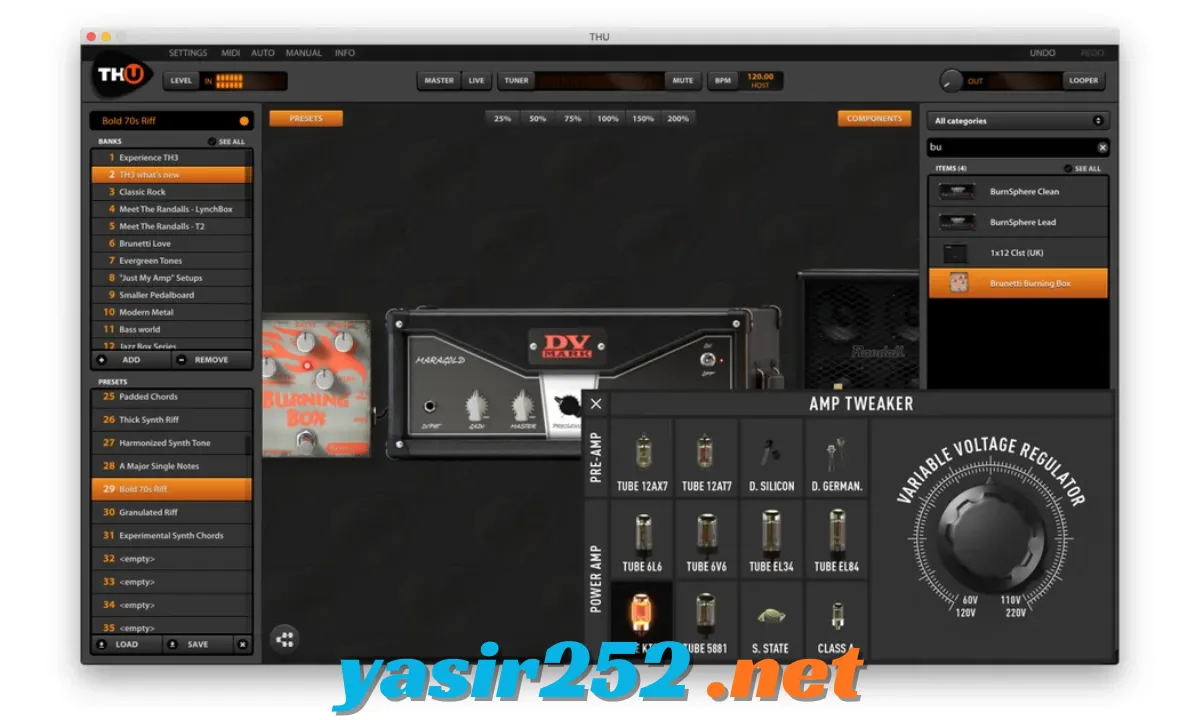
– Amp Tweak Controls: Modify amplifier characteristics using available amp adjustment options. These controls help users explore different tonal responses beyond basic amplifier settings.
– 3D Microphone Positioning: Adjust microphone placement around virtual cabinets using three-dimensional positioning controls. This gives you more flexibility when balancing microphone tone and room character.
– Room Simulation: Add room characteristics to cabinet sounds for a more spacious result. It can help make direct amp simulations feel more natural in a mix.
– More Than 1,000 Presets: Start with a large factory preset library covering different musical styles, artists, songs, and guitar types. You can also create and save your own custom tones.
– Monthly Free Presets: TH-U Premium users can access additional free presets released by Overloud. These provide fresh starting points for experimenting with different sounds.
– Built-in Guitar and Bass Tuner: Tune your instrument directly inside the software. This is convenient when recording or practicing without opening a separate tuning application.
– Global Polyphonic Transposer: Change the pitch of your instrument using the global transposition feature. This can be useful for experimenting with different tunings and musical arrangements.
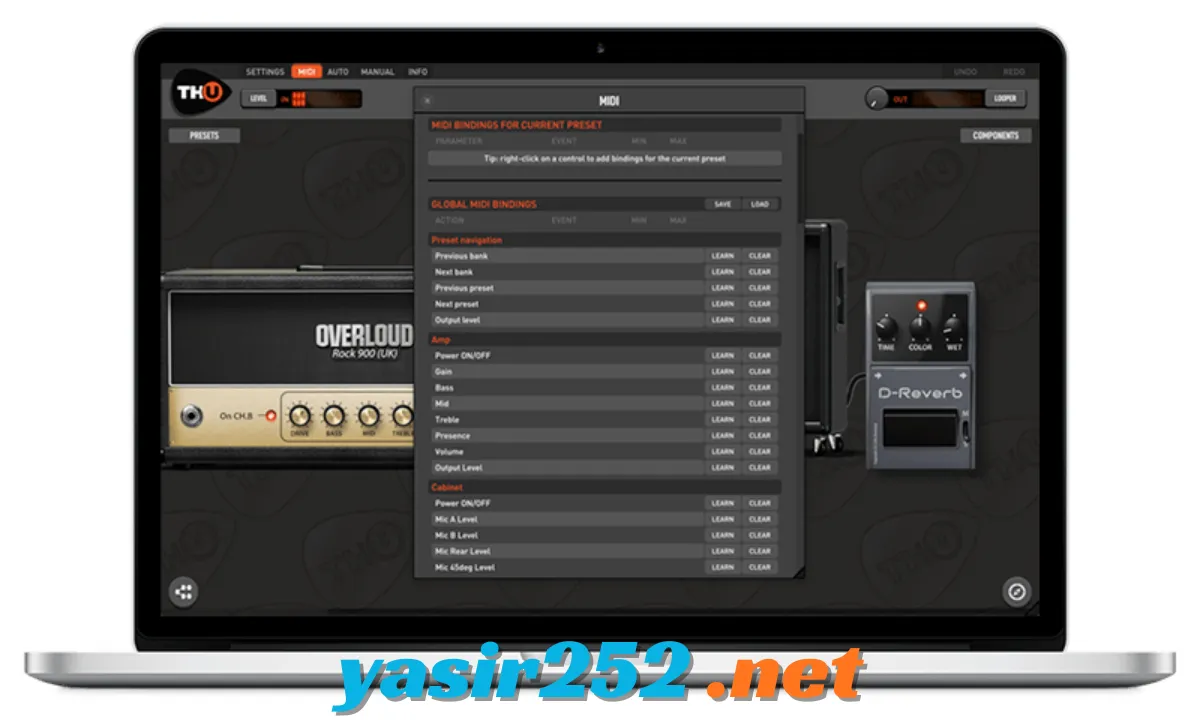
– MIDI Control: Connect supported MIDI controllers and foot controllers to control presets and effect parameters. This is particularly useful for live performance and hands-free operation.
– MIDI Controllable Doubler: Control the Doubler effect using MIDI. It provides additional flexibility when creating wider guitar sounds.
– Standalone Application: Run TH-U independently without opening a DAW. This is useful for practicing, testing tones, or playing through a computer-based guitar setup.
– DAW Integration: Use TH-U as a plugin in compatible recording applications. This makes it easy to process guitar and bass tracks during recording, mixing, and production.
– Cross-Platform Support: Use the software on supported Windows and macOS systems. The macOS version supports both Intel and Apple Silicon processors.
Supported Plugin Formats
TH-U Premium supports several plugin formats, allowing musicians to use it with different recording and production applications.
| Plugin Format | Platform | Purpose |
|---|---|---|
| VST2 | Windows / macOS | Use TH-U inside compatible DAWs |
| VST3 | Windows / macOS | Modern plugin integration |
| AAX 64-bit | Windows / macOS | Integration with compatible Pro Tools versions |
| Audio Unit (AU) | macOS | Use TH-U with Logic Pro and other AU-compatible applications |
| Standalone | Windows / macOS | Run TH-U without a DAW |
Compatible DAW Software
You can use Overloud TH-U Premium with compatible digital audio workstations.
| DAW | Platform |
|---|---|
| Pro Tools | Windows / macOS |
| Cubase | Windows / macOS |
| Ableton Live | Windows / macOS |
| Logic Pro | macOS |
| Studio One | Windows / macOS |
| REAPER | Windows / macOS |
| Nuendo | Windows / macOS |
| Digital Performer | Windows / macOS |
| MainStage | macOS |
| GarageBand | macOS |
Plugin-format and host-version compatibility should be checked before installation, especially when using older DAW versions.
System Requirements
Overloud’s published compatibility information lists the following baseline requirements. Actual performance depends on the number of effects, audio buffer settings, DAW, and other plugins running at the same time.
| Component | Requirements |
|---|---|
| Operating System | Windows 10 or newer recommended |
| Windows Architecture | 64-bit |
| macOS | Compatible Intel or Apple Silicon Mac |
| Processor | Intel Core i3 1.4 GHz or equivalent baseline |
| RAM | 4 GB minimum |
| Display Resolution | 1280 × 800 |
| Audio Hardware | Compatible audio interface or sound device recommended |
| Plugin Formats | VST, VST3, AAX; AU on macOS |
| Additional Software | Compatible DAW for plugin use |
Note: These are baseline compatibility details, not a guarantee that every current DAW or operating-system release will work. Check Overloud’s compatibility information for your specific setup before installing.
Is Overloud TH-U Premium Free to Download?
Overloud TH-U Premium is commercial software and is not a permanently free guitar amp simulator. The Premium edition includes a much larger collection of amplifiers, cabinets, effects, presets, and captured rigs than the more limited editions.
Users interested in trying the software should check Overloud’s official product page for current demo or trial availability. A valid licence is required to unlock the full Premium collection and use the paid features without evaluation restrictions.
Important: Avoid unofficial cracked installers and unauthorized activation files. They can contain malware, cause plugin errors, or compromise your music-production system.
How to Download Overloud TH-U Premium
Follow these steps to obtain the official software:
-
Visit the official Overloud TH-U product page.
-
Find the TH-U Premium download or trial option.
-
Check the available Windows or macOS installer.
-
Select the correct package for your computer.
-
Download the installation file.
-
Wait until the download is complete.
-
Close your DAW before starting installation.
-
Run the installer and follow the setup instructions.
-
Complete the installation and authorization process.
Official Download: https://www.overloud.com/products/thu
How to Install Overloud TH-U Premium
After downloading the official installer, follow these steps:
-
Open your Downloads folder.
-
Locate the Overloud TH-U installer.
-
Double-click the setup file.
-
Accept the licence agreement if prompted.
-
Select the installation components and plugin formats you need.
-
Choose the installation location.
-
Start the installation process.
-
Wait for the setup to finish.
-
Open your DAW and run a plugin scan if necessary.
-
Load TH-U on an audio track and complete the authorization process.
If you want to use TH-U without a DAW, launch its standalone application from your installed programs.
How to Create Guitar Tones with TH-U Premium
Once the software is installed, you can start building your own guitar sound.
-
Launch TH-U Premium or load it inside your DAW.
-
Connect your guitar to a compatible audio interface.
-
Select an amplifier from the available models.
-
Choose a speaker cabinet that matches your preferred sound.
-
Add pedals and rack effects to the signal chain.
-
Adjust amplifier gain, EQ, and other available controls.
-
Position microphones to shape the cabinet sound.
-
Test different presets and save your favorite settings.
You can experiment with different signal chains until you find a tone that works for your recording or performance.
Advantages and Disadvantages
| Advantages | Disadvantages |
|---|---|
| Large collection of guitar amplifiers | Premium edition is commercial software |
| Dedicated bass amplifier models | Full collection requires a paid licence |
| 1,000+ factory presets | Can take time to understand advanced controls |
| Extensive pedal and rack effects | Requires compatible audio software or hardware for best results |
| Advanced cabinet and IR processing | Some features require additional learning |
| Rig Player and captured rigs | Additional rig collections may cost extra |
| Standalone and plugin operation | Performance depends on computer hardware |
| MIDI controller support | Compatibility varies between DAWs and plugin formats |
| Supports Windows and macOS | Not every plugin format works on every platform |
Frequently Asked Questions
1. What is Overloud TH-U Premium?
Overloud TH-U Premium is a professional guitar and bass amp simulation software package that recreates amplifiers, speaker cabinets, pedals, microphones, and studio effects.
2. Is Overloud TH-U Premium free?
No. TH-U Premium is commercial software. Check Overloud’s official website for current trial or demo availability.
3. Can I use TH-U Premium on Windows 11?
Yes. The Windows version supports 64-bit Windows systems, including compatible Windows 11 installations.
4. Does TH-U Premium work on macOS?
Yes. The macOS version supports Intel and Apple Silicon processors.
5. How many guitar amplifiers are included?
The Premium collection includes 89 guitar amplifier models.
6. Does TH-U Premium support bass guitar?
Yes. It includes four bass amplifier models and two bass cabinets.
7. How many effects are included in TH-U Premium?
The listed Premium collection includes 86 pedal and rack effects.
8. Does TH-U Premium support VST3?
Yes. It supports VST3 along with other plugin formats, depending on the operating system.
9. Can I use TH-U Premium without a DAW?
Yes. TH-U includes a standalone application that lets you use its guitar processing features without opening a DAW.
10. Does TH-U Premium work with Pro Tools?
Yes. It supports compatible Pro Tools versions through the AAX plugin format.
11. What is Rig Player in TH-U?
Rig Player allows users to load captured guitar rig models. TH-U Premium includes 20 factory captured rigs.
12. What is SuperCabinet?
SuperCabinet is an advanced cabinet and impulse-response processing component that provides additional control over speaker cabinet sounds.
13. Can I use MIDI controllers with TH-U Premium?
Yes. MIDI support lets you control presets and supported effect parameters using compatible MIDI devices and foot controllers.
14. How many presets does TH-U Premium include?
The Premium edition includes more than 1,000 factory presets covering different musical styles.
15. Can I use TH-U Premium for bass recording?
Yes. Its bass amplifiers, cabinets, and effects make it useful for processing bass guitar tracks.
16. Does TH-U Premium support Apple Silicon?
Yes. Overloud lists native support for Apple Silicon and Intel processors on macOS.
17. Where can I download Overloud TH-U Premium safely?
Download the software from the official Overloud website to obtain the legitimate installer and current compatibility information.
Conclusion
Overloud TH-U Premium is a powerful amp simulation solution for guitarists, bass players, producers, and recording engineers. Its extensive amplifier collection, speaker cabinets, effects, microphone models, captured rigs, and SuperCabinet processing provide plenty of options for creating professional guitar tones.
The software works as both a standalone application and a plugin in compatible DAWs, making it suitable for recording, mixing, and practice. Although the Premium edition is not completely free, you can check the official website for available trial options before purchasing a licence.