
PassMark MemTest86 Pro 11.7 Build 2000 Multilingual Download [2027] – RAM Testing and Memory Diagnostics
PassMark MemTest86 Pro is a professional memory diagnostic tool designed to test a computer’s RAM for errors, instability, and potential hardware problems. It runs independently of Windows, making it useful when diagnosing system crashes, blue screens, boot issues, random restarts, and suspected memory faults.
Unlike regular Windows applications, MemTest86 Pro boots directly from a USB flash drive and performs a series of memory tests on the installed RAM. It is especially useful for PC technicians, hardware enthusiasts, system builders, IT professionals, and users who want to check whether their memory is functioning reliably.
PassMark MemTest86 Pro 11.7 Build 2000 Download Links
| Rapidgator | Nitroflare |
|---|---|
| 🟣 DOWNLOAD | 🟡 DOWNLOAD |
PassMark MemTest86 Pro Software Information
| Field | Details |
|---|---|
| Title | PassMark MemTest86 Pro |
| Category | RAM Testing, Memory Diagnostics, Hardware Utilities |
| Developer | PassMark Software |
| Publisher | PassMark Software |
| Version | MemTest86 Pro 9.0 (legacy version) |
| Latest Version | Current releases are newer than version 9.0 |
| Operating System | Stand-alone bootable environment |
| Supported Hardware | x86, x86-64 and supported ARM64 platforms, depending on release |
| License | Commercial Pro edition; Free edition also available |
| Free Version | Yes, MemTest86 Free |
| Official Website | https://www.memtest86.com/ |
| Official Download | https://www.memtest86.com/download.htm |
Version 9.0 is an older release, not the current latest version. This article covers MemTest86 Pro and its legacy version 9.0 while explaining the current download options.
What Is PassMark MemTest86 Pro?
PassMark MemTest86 Pro is a bootable RAM diagnostic program used to check the reliability of a computer’s memory. It tests RAM using multiple memory-testing algorithms that can identify different types of memory errors, including faults that may not appear during everyday computer usage.
Because the program runs outside the installed operating system, it can test memory without Windows running in the background. This makes it a useful troubleshooting utility when a PC freezes, restarts unexpectedly, produces blue-screen errors, or behaves inconsistently under load.
MemTest86 Pro is the commercial edition of the MemTest86 memory-testing software. The Pro edition is designed for professional and commercial use cases and includes additional capabilities compared with the Free edition, depending on the release.
Key Features of PassMark MemTest86 Pro
– Comprehensive RAM Testing: MemTest86 Pro performs multiple memory tests designed to identify errors in RAM modules, helping detect faulty memory and unstable configurations.
– Bootable USB Testing: Run memory diagnostics from a USB flash drive without starting Windows or another installed operating system.
– Operating System Independent: The program operates outside Windows, Linux, or macOS, so memory can be tested even when the installed OS is experiencing stability problems.
– Multiple Memory Test Algorithms: Different testing methods help uncover memory problems that may be missed by a simple test or normal daily workloads.
– Memory Error Detection: Identify memory-related errors that may cause system crashes, data corruption, freezing, unexpected restarts, or blue-screen failures.
– Detailed Test Results: Review test progress and detected errors to help determine whether the memory subsystem may be contributing to computer instability.
– UEFI Boot Support: Modern MemTest86 releases use UEFI booting for compatible computers. Older releases, including legacy versions, have different platform requirements.
– RAM Compatibility Troubleshooting: Test memory after installing new RAM, upgrading memory capacity, changing memory timings, or enabling XMP or EXPO profiles.
– Multi-Core CPU Support: Supported releases use available processor capabilities to improve testing performance on compatible systems.
– Professional Edition: MemTest86 Pro provides additional professional and commercial capabilities over the Free edition, depending on the version.
– Memory Stress Testing: Run extended tests to help identify intermittent memory faults that may appear only after prolonged testing.
– Hardware Troubleshooting: Use the test results as part of diagnosing RAM, motherboard, memory-controller, and system configuration problems.
– Independent Diagnostic Environment: Because MemTest86 runs separately from the installed operating system, it can help troubleshoot computers that are unable to boot reliably into Windows.
– Report and Diagnostic Workflow: Pro editions provide additional diagnostic and reporting capabilities useful for technicians and system builders, depending on the release.
– Legacy Release Support: Older versions such as MemTest86 9.0 may be useful when maintaining a particular diagnostic workflow or older system, although compatibility and capabilities differ from modern releases.
What’s New in PassMark MemTest86 Pro?
MemTest86 Pro 9.0 is an older version of the memory diagnostic software. It should not be confused with the currently maintained MemTest86 release series.
The modern MemTest86 release line has evolved with newer UEFI platforms, hardware support, improvements to testing, and updated compatibility. The latest version shown on the official download page at the time of this article is 11.7 Build 2000.
Improvements in the Modern MemTest86 Release Line
-
Updated Hardware Compatibility: Newer releases support updated hardware platforms and memory configurations.
-
Modern UEFI Booting: Current versions are designed for compatible UEFI systems.
-
Improved Platform Support: Current packages include x86, x86-64 and ARM64 binaries.
-
Updated Diagnostic Software: New releases include maintenance and compatibility improvements compared with older versions.
-
Modern USB Boot Workflow: The current download packages are designed to create bootable USB testing media.
These improvements describe the evolution of the MemTest86 software. They are not a verified version-specific changelog for MemTest86 Pro 9.0.
MemTest86 Pro 9.0 vs. MemTest86 Free
PassMark offers both Free and Pro editions of MemTest86. The exact differences depend on the release, but the Pro edition is aimed at professional, commercial, and advanced testing workflows.
| Feature | MemTest86 Free | MemTest86 Pro |
|---|---|---|
| RAM Diagnostics | Yes | Yes |
| Bootable USB Testing | Yes | Yes |
| Independent of Windows | Yes | Yes |
| Multiple Memory Tests | Yes | Yes |
| UEFI Support | Yes, supported releases | Yes, supported releases |
| Commercial Licensing | Check license terms | Commercial licensing available |
| Advanced Professional Features | Limited | Additional Pro capabilities |
| Business and Technician Use | License restrictions may apply | Intended for professional use |
| Price | Free | Paid |
Check the official edition comparison for the precise feature differences between the versions you intend to use.
PassMark MemTest86 Pro Download
If you want to download PassMark MemTest86 Pro, use the official PassMark website to access the available releases, edition details, and licensing options.
Official MemTest86 Download Page
https://www.memtest86.com/download.htm
The official page provides the current Free download and information about purchasing the Pro edition.
Download MemTest86 Pro 9.0
MemTest86 Pro 9.0 is a legacy version. If you specifically need version 9.0, verify that the installer or image is from PassMark or another legitimate source that can confirm its authenticity and licensing.
Avoid repackaged installers, modified boot images, unauthorized activation files, and third-party bundles that may contain unwanted software.
Download the Latest MemTest86 Version
For most users, downloading the current release is recommended instead of using version 9.0. The official download page currently lists MemTest86 11.7 Build 2000.
The latest release is a better option for newer hardware and updated UEFI systems, while an older release may be appropriate for certain legacy environments.
How to Create a MemTest86 Bootable USB
MemTest86 is not installed like an ordinary Windows application. You need to create a bootable USB drive to run the memory tests.
Step 1: Download MemTest86
Visit the official download page and download the MemTest86 package for your compatible computer.
Step 2: Extract the Downloaded File
If the package is compressed, extract it using a supported archive utility. Locate the USB image creation files supplied with the package.
Step 3: Insert a USB Flash Drive
Connect a USB flash drive with at least 1 GB of capacity. Use a drive that does not contain important files because the USB creation process may erase its existing data.
Step 4: Create the Bootable USB
Run the included USB image creation utility or follow the official instructions for creating bootable media. Select the correct USB drive and complete the process.
Step 5: Restart Your Computer
Restart your PC after the bootable USB has been created. If necessary, open the boot menu using your motherboard or laptop’s boot-menu key.
Step 6: Boot from the USB Drive
Select the MemTest86 USB device from the boot menu. If the computer is configured correctly, MemTest86 should start outside the Windows environment.
Step 7: Start the Memory Test
Start the diagnostic test and allow the program to complete its testing cycles. For more reliable results, consider allowing the test to run for several passes.
Step 8: Review the Results
Check whether MemTest86 reports errors. If errors appear, troubleshoot your memory configuration before relying on the computer for critical tasks.
How to Use MemTest86 Pro to Test RAM
After booting from your MemTest86 USB drive, you can use the program to check the installed memory.
-
Boot your computer from the MemTest86 USB drive.
-
Allow the diagnostic environment to load.
-
Review the detected system and memory information.
-
Start the memory test using the available test options.
-
Let the testing process complete its passes.
-
Review the detected errors and test results.
-
Save or record the results if you need them for troubleshooting.
-
Restart your PC and remove the USB drive when testing is complete.
The available menus and testing options may differ between MemTest86 9.0 and newer releases.
How Many Passes Should You Run?
The number of passes depends on the reason you’re testing RAM.
| Testing Situation | Recommended Approach |
|---|---|
| Quick troubleshooting | Run at least one complete pass |
| New RAM installation | Run multiple passes |
| Suspected faulty RAM | Run extended testing, preferably overnight |
| Overclocking or XMP/EXPO testing | Run multiple passes after changing memory settings |
| Critical workstation or server memory | Use extended testing and additional hardware diagnostics as needed |
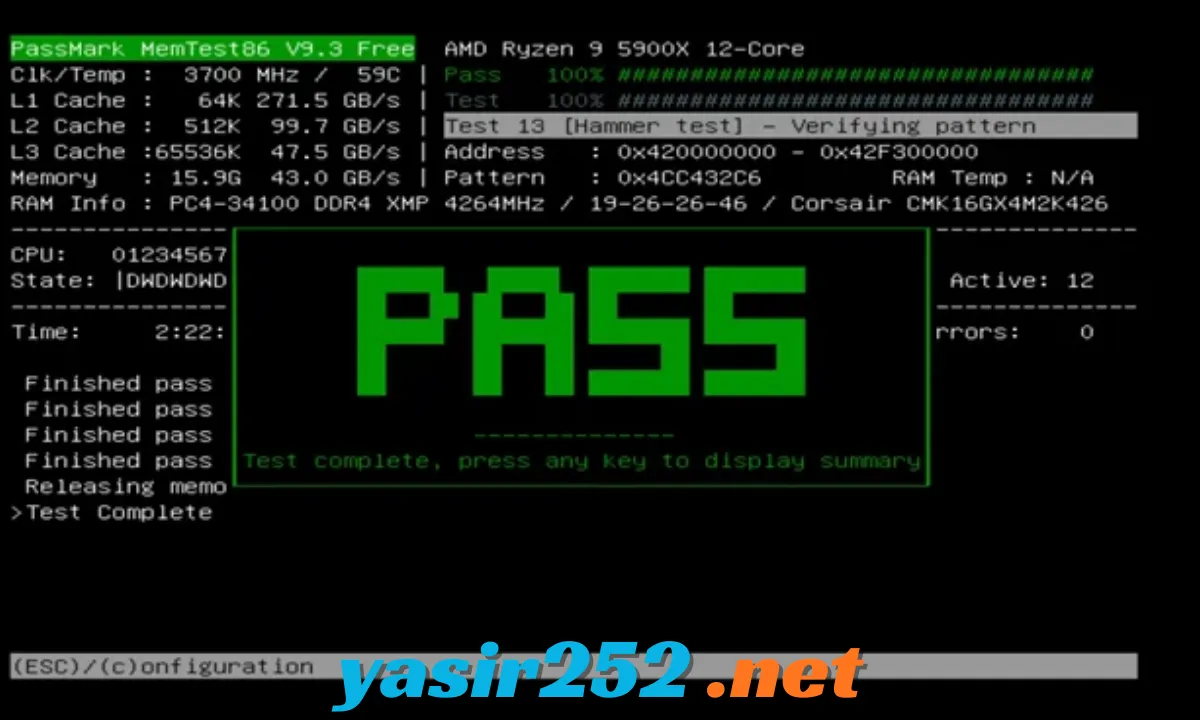
Passing a memory test does not guarantee that RAM will never fail. Intermittent faults can be difficult to detect.
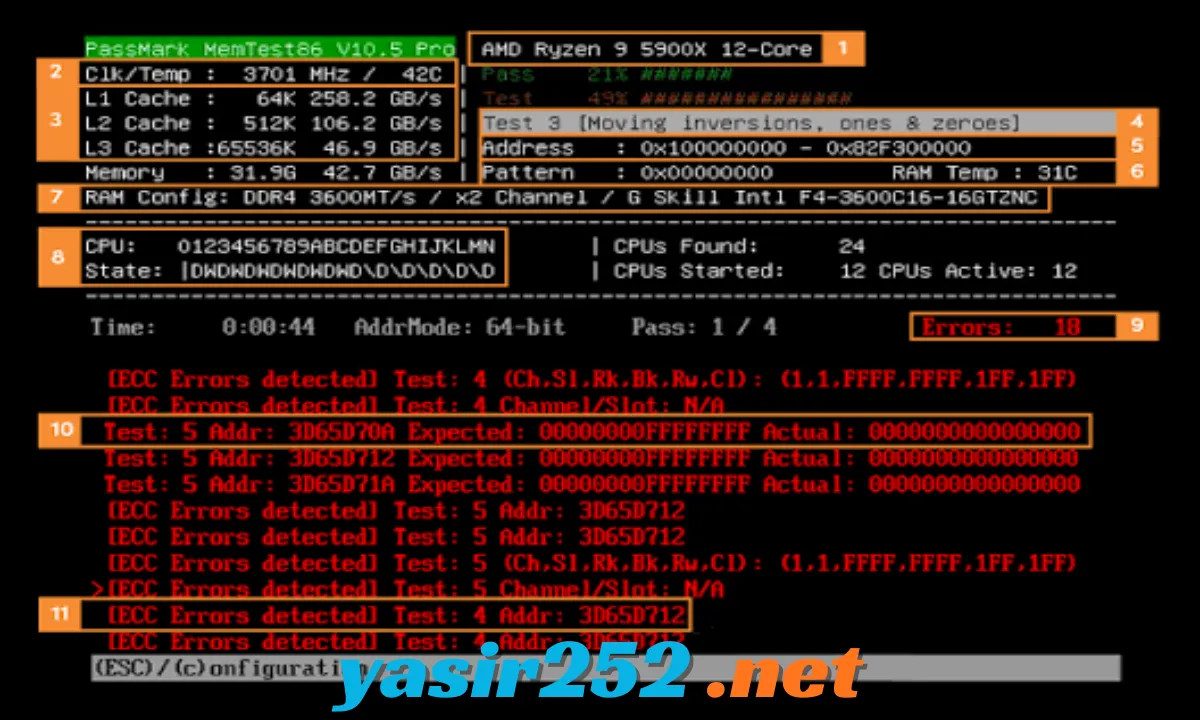
What Does a MemTest86 Error Mean?
If MemTest86 reports memory errors, it means the diagnostic detected incorrect behavior during its memory tests. This can be a sign of faulty RAM, but it does not automatically prove that a RAM module is defective.
Potential causes include:
-
Faulty RAM Module: A memory stick may contain defective memory cells or develop hardware faults.
-
Unstable Memory Settings: Excessive memory frequency, incorrect timings, or an unstable XMP/EXPO profile can cause errors.
-
Motherboard Issues: A memory slot, motherboard circuit, or memory-related component may be faulty.
-
CPU Memory Controller: Problems with the processor’s memory controller can affect RAM stability.
-
Compatibility Issues: Certain RAM configurations may not work reliably with a motherboard or processor.
-
Overheating or Power Problems: Unusual temperature or power conditions may contribute to instability.
What to Do When MemTest86 Finds Errors
-
Disable XMP or EXPO and return memory settings to default values.
-
Shut down the computer and reseat the RAM modules carefully.
-
Test each memory stick individually when possible.
-
Try different memory slots according to your motherboard’s recommended configuration.
-
Check motherboard and RAM compatibility.
-
Repeat the test after making changes.
-
If errors continue, consider replacing the suspected RAM module or investigating the motherboard and CPU.
Always shut down and disconnect power before physically handling RAM. Follow your hardware manufacturer’s safety instructions.
MemTest86 System Requirements
MemTest86 requirements depend on the release. The current official version 11.7 download page lists x86, x86-64, and ARM64 binaries and requires a compatible UEFI platform.
General Requirements
| Component | Requirement |
|---|---|
| Processor | Supported x86, x86-64 or ARM64 hardware, depending on release |
| Firmware | UEFI for modern releases |
| USB Drive | At least 1 GB recommended |
| USB Creation System | Windows, Linux or macOS on supported Intel-based Macs |
| Operating System During Testing | Not required |
| Bootable Media | USB flash drive |
| Internet Connection | Not required for the actual memory test |
Important Compatibility Notes
-
Current MemTest86 releases are designed for UEFI systems.
-
Older PCs with legacy BIOS firmware may require older MemTest86 releases, such as legacy version 4, rather than modern UEFI-only releases.
-
MemTest86 does not support booting on Apple Silicon M-series Macs.
-
Windows, Linux, or macOS is not required while the memory test is running.
-
A compatible operating system is required to prepare the bootable USB using the available creation tools.
Is MemTest86 Pro Free?
MemTest86 Pro is a commercial edition. PassMark also provides MemTest86 Free, which offers memory testing without requiring users to purchase the Pro edition.
The Free edition is suitable for many home users who simply need to check whether their RAM is producing errors. Pro is intended for users and organizations that require additional features, professional workflows, or commercial licensing.
If you only need to diagnose RAM instability on your home computer, start with the official Free edition. If you use the software for commercial diagnostics, repair services, or professional testing, review the Pro license terms.
MemTest86 Pro License and Activation
MemTest86 Pro requires a valid commercial license. Licensing options may include individual or site licensing depending on the available purchase options.
A Pro license should be obtained through PassMark’s official purchasing process. Avoid unauthorized activation files, key generators, modified images, or cracked copies, as they may introduce security risks and violate the software’s licensing terms.
Advantages and Disadvantages of MemTest86 Pro
Advantages
-
Independent Testing: Runs outside Windows, making it useful when the operating system is unstable.
-
Detailed Memory Diagnostics: Uses multiple testing methods to detect memory errors.
-
Bootable USB: Does not require a permanent installation on the computer.
-
Hardware Troubleshooting: Useful for checking RAM after upgrades or configuration changes.
-
Professional Edition: Offers additional professional features and commercial licensing options.
-
Modern Hardware Support: Current releases support newer UEFI-based systems and supported hardware architectures.
-
Useful for Technicians: Helps PC repair technicians, system builders, and IT administrators investigate memory-related problems.
Disadvantages
-
USB Preparation Required: Users must create bootable media before testing.
-
Pro Is Paid: The commercial edition requires a valid license.
-
Older Versions Have Limitations: MemTest86 9.0 may lack improvements found in newer releases.
-
UEFI Compatibility: Modern versions require compatible UEFI firmware.
-
Testing Takes Time: Extended memory testing can take several hours.
-
Errors Need Interpretation: A detected error may involve RAM, memory settings, the motherboard, or the processor’s memory controller.
Best Alternatives to PassMark MemTest86 Pro
If you’re looking for other RAM testing or hardware diagnostic tools, these are worth considering.
-
Windows Memory Diagnostic: A built-in Windows utility for checking memory problems without downloading additional software.
-
Memtest86+ : An open-source memory testing tool that supports a range of PC hardware and boot environments.
-
PassMark MemTest86 Free: The free edition of MemTest86, suitable for basic and many advanced memory diagnostic tasks.
-
OCCT: A hardware stability testing tool that includes tests for CPU, memory, GPU, and other system components.
-
HCI MemTest: A memory testing utility that runs within Windows and helps test RAM stability under workloads.
Frequently Asked Questions (FAQs)
1. What is PassMark MemTest86 Pro?
PassMark MemTest86 Pro is a bootable memory diagnostic utility that tests RAM for errors and helps troubleshoot computer instability, crashes, and memory-related hardware problems.
2. Is MemTest86 Pro free?
No, MemTest86 Pro is a commercial edition. However, PassMark provides a separate Free edition that can perform RAM diagnostics without purchasing a Pro license.
3. What is MemTest86 Pro 9.0?
MemTest86 Pro 9.0 is an older release of PassMark’s memory testing software. It is used to test RAM independently of the installed operating system.
4. How do I download MemTest86 Pro?
Visit the official PassMark MemTest86 download page to access the current Free edition and information about purchasing Pro. Legacy version downloads may have different availability.
5. Can MemTest86 run without Windows?
Yes. MemTest86 is a stand-alone memory diagnostic program that boots independently of Windows, Linux, or macOS.
6. How do I install MemTest86 Pro?
MemTest86 is generally prepared on a bootable USB drive rather than installed as a regular Windows program. You create the USB, boot your PC from it, and run the diagnostic.
7. How long does MemTest86 take?
Testing time depends on RAM capacity, processor speed, testing configuration, and the number of passes. A single pass may take a while, and extended testing can take several hours or overnight.
8. Can MemTest86 detect faulty RAM?
Yes. MemTest86 is designed to detect memory errors that may indicate faulty RAM or an unstable memory configuration.
9. Should I run MemTest86 overnight?
Running MemTest86 overnight can be useful when diagnosing intermittent memory errors, particularly after a RAM upgrade or when a computer experiences unexplained crashes.
10. Does MemTest86 test all RAM?
MemTest86 attempts to test the available memory that it can access within its testing environment. Some memory regions may be reserved or inaccessible, depending on hardware and firmware limitations.
11. Can MemTest86 test RAM with XMP enabled?
Yes. It can test memory while XMP or EXPO is enabled. However, errors under an overclocked memory profile may indicate instability rather than defective RAM. Testing at default settings can help isolate the problem.
12. Does MemTest86 support Windows 11?
MemTest86 does not run as a Windows 11 application. It runs from bootable media on supported hardware, so Windows 11 is not required during testing.
13. What USB drive do I need for MemTest86?
A USB flash drive with at least 1 GB of capacity is recommended for creating the bootable testing media. The drive may be erased during preparation.
14. Does MemTest86 support UEFI?
Yes. Modern MemTest86 releases support UEFI booting and require compatible UEFI firmware. Older releases have different boot requirements.
15. Can MemTest86 run on older BIOS computers?
Modern MemTest86 releases may not boot on legacy BIOS-only computers. Older legacy releases, such as MemTest86 V4, are available for compatible systems without UEFI support.
16. What should I do if MemTest86 finds errors?
Return RAM settings to their default values, test individual memory modules, check the motherboard slots, and repeat the test. If errors persist, investigate the RAM, motherboard, and processor memory controller.
17. Is MemTest86 Pro better than MemTest86 Free?
Pro provides additional professional and commercial capabilities, depending on the release. Free is sufficient for many users who need basic or standard RAM diagnostics.
18. Does MemTest86 require an internet connection?
No. Once the bootable USB is created, the actual memory testing process generally does not require an internet connection.
19. Does MemTest86 support ARM64?
The current official download package includes ARM64 binaries. However, hardware and firmware compatibility should be checked before attempting to boot on a particular system.
20. Where can I download the latest MemTest86?
The latest official release can be found on the PassMark website at https://www.memtest86.com/download.htm.
Final Verdict
PassMark MemTest86 Pro is a powerful memory diagnostic utility for checking RAM stability, investigating hardware errors, and troubleshooting unexplained computer crashes. Its bootable USB approach allows testing outside Windows, making it especially useful for PC technicians, hardware enthusiasts, system builders, and users diagnosing unstable systems.
Although MemTest86 Pro 9.0 is an older release, the MemTest86 software remains a useful option for memory diagnostics. For most users, the current official release is the better starting point because it offers updated compatibility and support for modern hardware.
If you need to test RAM after an upgrade, investigate blue-screen errors, diagnose random restarts, or verify memory stability, MemTest86 is one of the most useful tools to include in your PC troubleshooting toolkit.