
WYSIWYG Web Builder 21.2.5 (x64) Free Download Full Version for Windows
WYSIWYG Web Builder is a desktop website design application that lets you create professional websites without writing HTML or CSS code manually. Its visual drag-and-drop editor makes it easier to arrange text, images, buttons, menus, forms, and other elements directly on a page. Whether you’re building a personal website, business homepage, portfolio, or online store, the software gives you control over the layout and design.
The application also includes responsive design tools, ready-made templates, content blocks, image galleries, eCommerce integrations, and publishing features. Version 21 introduces AI-powered website creation, Easy Breakpoints, and improved responsive layouts, making the design process more flexible. It is commercial software, but a fully functional 30-day trial is available for free.
WYSIWYG Web Builder 21 Download Links
| Rapidgator | Nitroflare |
|---|---|
| 🟣 DOWNLOAD | 🟡 DOWNLOAD |
Software Information
| Field | Details |
|---|---|
| Title | WYSIWYG Web Builder |
| Latest Version | 21.2.4 |
| Release Date | October 15, 2026 |
| Developer | Pablo Software Solutions |
| Publisher | WYSIWYG Web Builder |
| License | Commercial – 30-Day Free Trial |
| Category | Website Builder / Web Design |
| Operating System | Windows |
| Architecture | 32-bit and 64-bit |
| Main Purpose | Website Design and Development |
| Official Website | wysiwygwebbuilder.com |
What Is WYSIWYG Web Builder?
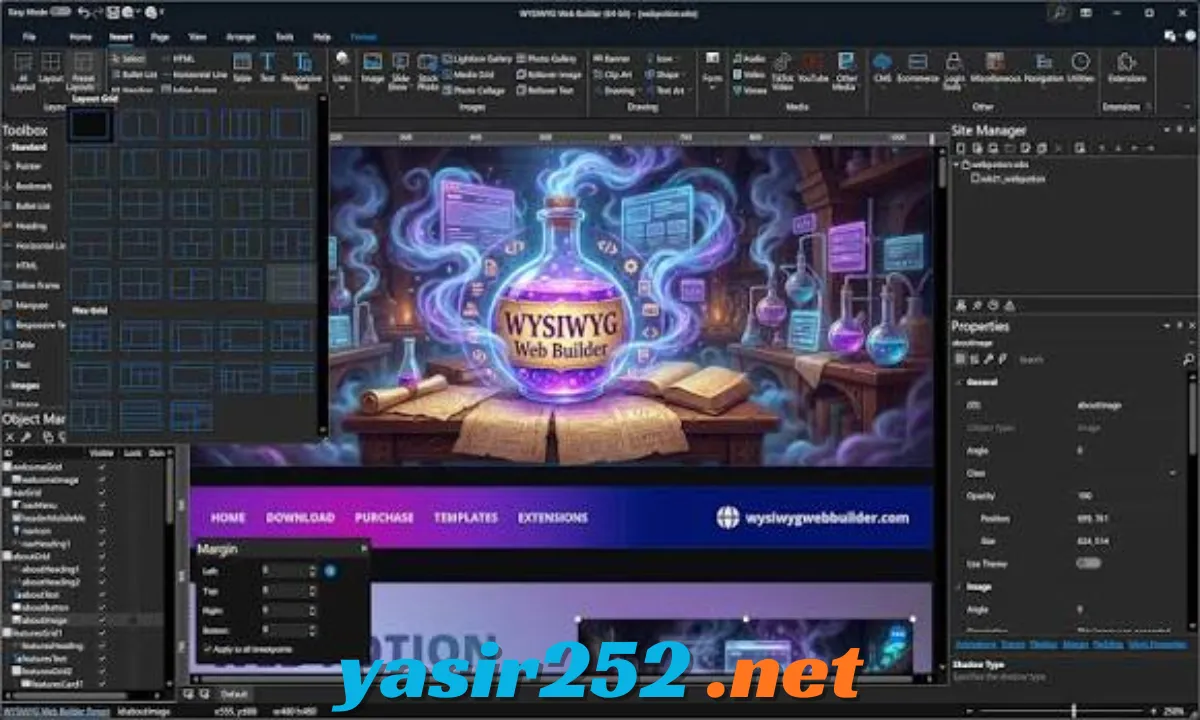
WYSIWYG Web Builder is a visual website creation tool for users who want to design and publish websites without needing advanced programming skills. Instead of manually writing every line of code, you can place objects on the workspace, adjust their properties, and arrange page elements using a familiar drag-and-drop interface.
The software generates the website files required for publishing, including HTML, CSS, and JavaScript. You can create responsive pages, add interactive components, build forms, manage multiple pages, and publish your finished website to a local folder or web server. It is especially useful for freelancers, small businesses, designers, and beginners who prefer a desktop-based website builder.
Key Features of WYSIWYG Web Builder
– Drag-and-Drop Website Design: Build pages by dragging elements from the toolbox directly onto the workspace. You can position, resize, and customize objects without manually writing HTML.
– Responsive Website Layouts: Create websites that adapt to desktop, tablet, and mobile screens. The software supports Layout Grid, Flexbox, CSS Grid, fixed layouts, and breakpoints.
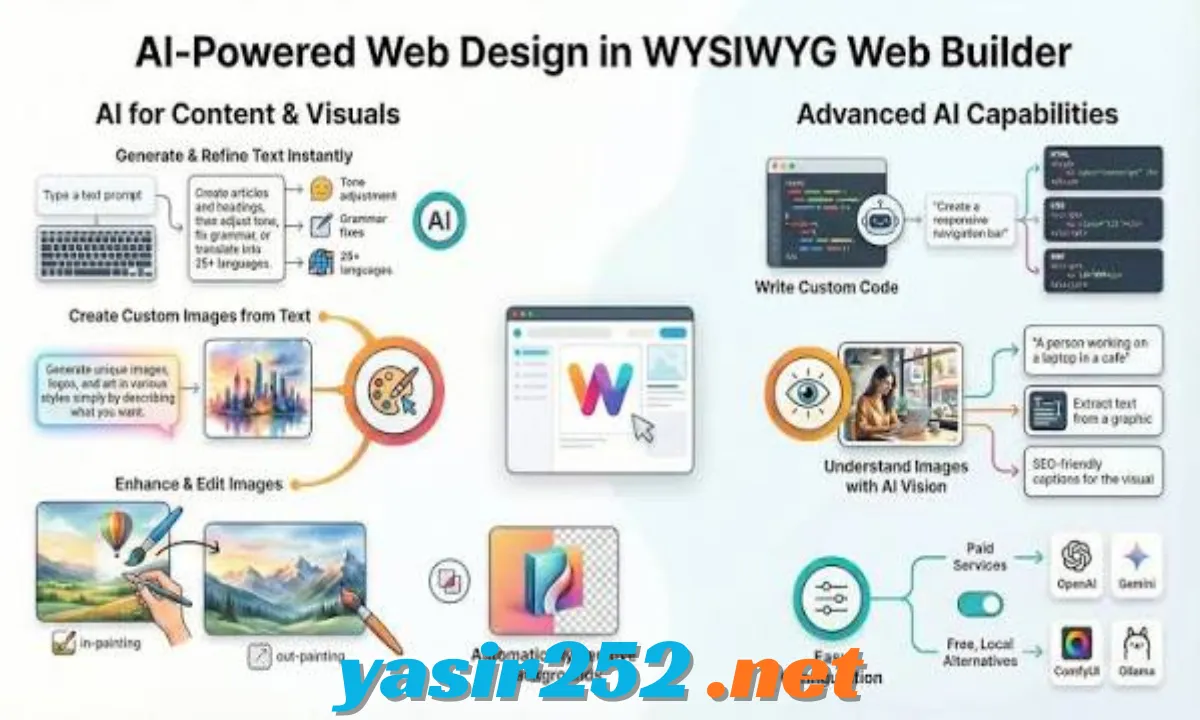
– AI Website Generator: Generate website layouts from text descriptions using supported AI providers. You can describe the design, colors, content, and components you want, then use the generated structure as a starting point.
– Image-to-Website Creation: Use a reference image, sketch, or wireframe to guide AI-powered website creation. This can help turn an initial design concept into a structured webpage.
– Easy Breakpoints: Adjust individual objects for different screen sizes without configuring breakpoints across an entire page. You can change visibility, font size, margins, padding, and alignment.
– AI Layout Tools: Generate AI-assisted content and layouts directly inside an existing webpage. This makes it easier to experiment with page sections and design ideas.
– Ready-Made Templates: Start projects using pre-designed website templates for different industries and purposes. Templates provide a useful foundation that you can customize with your own content and branding.
– Pre-Made Content Blocks: Add ready-to-use website sections such as headers, footers, feature areas, and content layouts. The official website advertises more than 250 available blocks.
– Navigation Menu Builder: Create navigation bars, dropdown menus, mega menus, tab menus, layer menus, and responsive mobile navigation. Customize icons, spacing, animations, and menu layouts.
– Forms and Form Wizard: Build contact forms, registration forms, and other interactive forms using text fields, checkboxes, radio buttons, dropdowns, and buttons. The Form Wizard also provides ready-to-use form layouts.
– Database Integration: Store form submissions in MySQL databases or CSV files using the built-in form processor. This is useful for collecting and organizing information from website visitors.
– Image Galleries and Lightboxes: Create photo galleries, slideshows, carousels, and lightbox presentations. You can also apply image effects and customize how pictures appear on your pages.
– eCommerce Integration: Add online shopping functionality through supported third-party services such as PayPal, Ecwid, Stripe, Snipcart, and other integrations.
– Blog and RSS Support: Add blog content and RSS feeds to your website. These tools help organize articles and provide visitors with regularly updated content.
– Built-In FTP Publishing: Upload website files directly to a web server through the integrated FTP tools. You can publish an entire website, selected pages, or specific project content.
– Custom HTML and JavaScript: Insert your own HTML code and JavaScript into a page whenever you need functionality beyond the standard visual tools.
– Google Fonts and Web Fonts: Use Google Fonts and other web fonts to customize typography. Version 21.2 also introduced more than 300 additional Google Fonts.
– Animations and Transitions: Add predefined animations or create custom effects for page elements. These effects can make buttons, images, text, and other components more interactive.
– Image Editing Tools: Adjust brightness, contrast, hue, saturation, rotation, cropping, and other image properties without leaving the application.
– Site Management: Organize pages, clone existing layouts, manage website structure, and reuse objects across different pages through master page functionality.
– Extension Support: Expand the application with additional extensions, icon libraries, lightboxes, CMS editors, and other downloadable extras.
What’s New in WYSIWYG Web Builder 21?
WYSIWYG Web Builder 21 introduced more than 125 new features and improvements for website designers. The release focuses on responsive design, AI-assisted creation, navigation, and easier editing.
Some of the important additions include:
-
Website AI: Create website structures using natural-language descriptions or reference images with supported AI services.
-
Easy Breakpoints: Apply responsive changes to individual objects without managing full-page breakpoints.
-
AI Layout: Generate AI-assisted content and layouts inside existing pages.
-
Mobile View: Switch the workspace to a mobile-width preview to inspect smaller-screen layouts.
-
Responsive Navigation: Create menus that adapt to mobile screens using accordion, panel, or overlay layouts.
-
Improved Tabs: Add images or icons to tab items and configure responsive spacing.
-
Navigation Images: Use custom images alongside icons in supported navigation widgets.
-
CMS Content Scheduling: Set start and end dates for supported content so pages or articles can be published and unpublished automatically.
-
Improved Website Design Tools: Enjoy updates to menus, animations, layout components, and the overall editing workflow.
What’s New in Version 21.2.4?
Version 21.2.4 is listed on the official download page with an update date of October 15, 2026. It is the latest version identified for this article.
The version 21.2 release series also includes improvements such as:
-
Additional Google Fonts.
-
Image Conveyor Belt caption support.
-
Improved shopping cart validation.
-
Better responsive layout behavior.
-
FTP Manager improvements for supported connections.
-
Form-related improvements and PHP Mailer updates.
-
Various bug fixes and interface refinements.
Website Elements You Can Create
WYSIWYG Web Builder includes a wide range of objects for building different types of websites.
| Element | Purpose |
|---|---|
| Text Objects | Add headings, paragraphs, and descriptions |
| Image Objects | Display photos, graphics, and illustrations |
| Buttons | Create clickable actions and links |
| Navigation Bars | Build website navigation |
| Forms | Collect information from visitors |
| Layout Grids | Organize responsive page sections |
| Flex Containers | Arrange flexible content |
| Photo Galleries | Display image collections |
| Sliders and Carousels | Present rotating content |
| Video Objects | Embed supported video content |
| Audio Objects | Add audio playback |
| Blog Objects | Display website articles |
| RSS Feeds | Show feed-based content |
| Shopping Cart | Add supported eCommerce features |
| Login Tools | Create protected pages and login functionality |
| Custom HTML | Insert custom HTML and scripts |
System Requirements
WYSIWYG Web Builder is a Windows desktop application. The official download page provides separate 32-bit and 64-bit installers, allowing users to choose the version suitable for their computers.
| Component | Requirement |
|---|---|
| Operating System | Windows |
| Architecture | 32-bit or 64-bit |
| Installer | EXE |
| Processor | Compatible Windows-supported CPU |
| RAM | Depends on project size and Windows requirements |
| Storage | Sufficient free space for installation and website projects |
| Internet | Required for downloads, online services, and supported AI integrations |
| Publishing | Local storage or compatible web server |
For larger projects containing many images, animations, and website elements, a modern Windows computer with sufficient memory and storage is recommended. Exact minimum CPU, RAM, and disk-space figures should be checked against the current installer documentation rather than assumed.
Is WYSIWYG Web Builder Free?
WYSIWYG Web Builder is commercial software, not a permanently free application. However, the developer provides a fully functional 30-day trial that can be downloaded without paying.
The trial allows users to design and publish websites, making it possible to test the main workflow before purchasing a licence.
| Feature | 30-Day Trial | Registered Version |
|---|---|---|
| Drag-and-Drop Editor | Yes | Yes |
| Website Design | Yes | Yes |
| Responsive Layouts | Yes | Yes |
| Templates and Blocks | Yes | Yes |
| Forms and Galleries | Yes | Yes |
| Website Publishing | Yes | Yes |
| Commercial Projects | Trial use | Yes |
| Remove Builder Branding | No | Yes |
| Full Licence | No | Yes |
| Updates for Purchased Major Version | No | Yes |
Licence and pricing: The official purchase page lists WYSIWYG Web Builder 21 at $59.95, with promotional discounts sometimes available. The licence is for one user and can be installed on up to three computers. It permits unlimited projects for the purchased version, including commercial projects.
The Plus edition is also available and includes additional paid extension packs. AI features may require a separate third-party AI account and can involve additional costs.
If you only want to test the software, the free 30-day trial is the legitimate option. A full version requires a purchased licence.
How to Download WYSIWYG Web Builder
Follow these steps to download the official installer:
-
Open the official WYSIWYG Web Builder download page.
-
Find the latest version listed on the page.
-
Select the 64-bit installer for a modern 64-bit Windows computer.
-
Choose the 32-bit installer if you use an older 32-bit Windows system.
-
Wait for the installer to download.
-
Save the EXE file to a convenient folder.
-
Verify that the installer was downloaded from the official website.
Official Download: WYSIWYG Web Builder 21
Official Website: WYSIWYG Web Builder
Free Trial: Download the 30-Day Trial
How to Install WYSIWYG Web Builder on Windows
-
Download the installer from the official website.
-
Open the downloaded EXE file.
-
Allow Windows to run the installer if prompted.
-
Follow the setup instructions.
-
Accept the licence agreement.
-
Select the installation folder if required.
-
Wait for the installation to finish.
-
Launch WYSIWYG Web Builder from the Start menu or desktop shortcut.
-
Start the trial or enter your purchased registration information.
How to Create Your First Website
After installing the application, follow these basic steps to create a website.
-
Open WYSIWYG Web Builder.
-
Create a new project.
-
Choose a blank page, template, block, or Website Wizard option.
-
Add headings, paragraphs, images, and buttons from the toolbox.
-
Arrange the objects using the drag-and-drop editor.
-
Customize colors, fonts, spacing, and backgrounds.
-
Add navigation menus and links between pages.
-
Configure responsive layouts for mobile and tablet screens.
-
Preview the website to check its appearance.
-
Save your project.
-
Publish the website to a local folder or compatible web server.
How to Publish a Website
WYSIWYG Web Builder includes publishing tools for transferring website files to a server.
-
Open your completed website project.
-
Check the page links and website settings.
-
Open the Publish window.
-
Configure the destination folder or FTP connection.
-
Enter the required server details if publishing online.
-
Select the pages or files you want to publish.
-
Start the publishing process.
-
Open your website in a browser to verify the result.
Make sure your hosting account supports the technologies used by your website, particularly if you have added PHP forms, database features, or other server-side components.
Advantages and Disadvantages
| Advantages | Disadvantages |
|---|---|
| No advanced HTML knowledge required | Commercial software after the trial |
| Easy drag-and-drop editing | Windows desktop application |
| Supports responsive website design | Large projects can require more system resources |
| Includes AI website creation tools | Some AI features require third-party services |
| Offers templates and ready-made blocks | Some extensions are paid separately |
| Includes forms and eCommerce integrations | Advanced features require learning |
| Built-in FTP publishing | Hosting and domain are not included |
| Supports custom HTML and JavaScript | Not a hosted website-building service |
Frequently Asked Questions (FAQ)
1. What is WYSIWYG Web Builder?
WYSIWYG Web Builder is a Windows desktop application that allows users to design, build, and publish websites using a visual drag-and-drop editor.
2. Is WYSIWYG Web Builder free?
It offers a free 30-day fully functional trial. After the trial expires, you need to purchase a licence to continue using the registered version.
3. What is the latest version of WYSIWYG Web Builder?
The latest version identified on the official download page for this article is version 21.2.4, updated on October 15, 2026.
4. Does WYSIWYG Web Builder support Windows 11?
Yes. It is a Windows desktop application and can be used on compatible Windows 11 systems.
5. Is WYSIWYG Web Builder available for Mac?
The standard WYSIWYG Web Builder application is designed for Windows. The developer offers a separate product called Quick ‘n Easy Web Builder for macOS and Linux.
6. Can I create a website without coding?
Yes. You can use the visual editor to arrange page elements, customize layouts, and build website pages without manually writing HTML or CSS.
7. Does WYSIWYG Web Builder support responsive websites?
Yes. It supports responsive layouts using breakpoints, Flexbox, CSS Grid, and Layout Grid tools.
8. Can I create an online store?
Yes. The software supports integrations with several third-party eCommerce services, including PayPal, Ecwid, Stripe, and other supported platforms.
9. Does WYSIWYG Web Builder include templates?
Yes. It supports ready-made website templates and downloadable content blocks that help users start projects more quickly.
10. Can I add contact forms?
Yes. You can create forms using text fields, checkboxes, radio buttons, dropdown menus, and other form elements.
11. Can I publish my website directly from the software?
Yes. The built-in publishing tools support local publishing and FTP-based uploads to compatible web servers.
12. Does WYSIWYG Web Builder support AI?
Yes. Version 21 includes AI-powered website creation and AI Layout features through supported third-party AI providers.
13. Can I add custom HTML and JavaScript?
Yes. The Custom HTML object allows you to insert your own HTML code and JavaScript into website pages.
14. What is the difference between WYSIWYG Web Builder and WordPress?
WYSIWYG Web Builder is a desktop application used to design and generate website files, while WordPress is a content management system commonly installed on a web server. They have different workflows and publishing requirements.
15. Can I use WYSIWYG Web Builder for commercial projects?
Yes. The purchased licence permits commercial projects. The free trial is intended for evaluation before purchasing.
16. Does the software include web hosting?
No. WYSIWYG Web Builder creates and publishes website files, but users need their own compatible hosting service and domain for a public website.
Conclusion
WYSIWYG Web Builder is a practical website design solution for users who want visual control over their websites without manually coding every page. Its drag-and-drop editor, responsive layouts, templates, forms, galleries, AI website creation, and FTP publishing tools make it suitable for personal websites, business pages, portfolios, and online projects.
Version 21.2.4 offers a broad set of website-building features, while the fully functional 30-day trial lets you explore the software before purchasing. Download the official installer and test its design and publishing tools to see whether it fits your website development workflow.